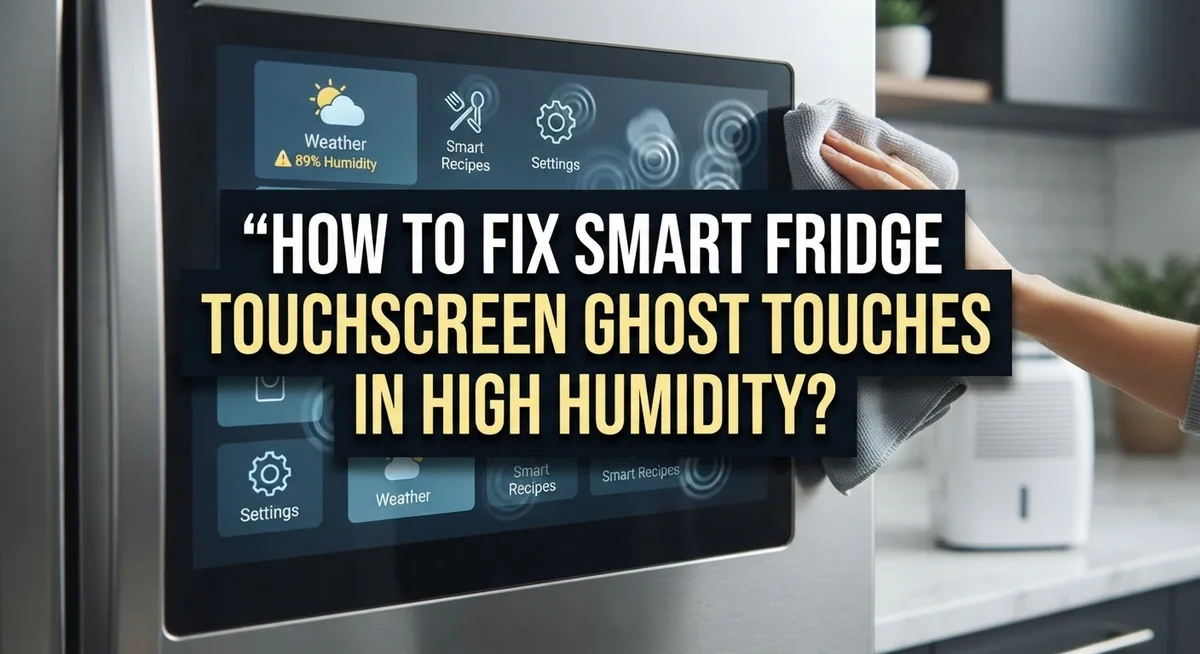
How To Fix Smart Fridge Touchscreen Ghost Touches In High Humidity?
Does your smart fridge touchscreen tap and swipe on its own? You are not alone.
High humidity often causes this strange problem. Steam from cooking or a damp kitchen can confuse the sensors on your screen.
This issue is common on Samsung Family Hub models and other smart fridges with touch panels. Moisture in the air interferes with the capacitive sensors. This leads to random taps, frozen screens, or a display that reacts to nothing you touch.
The good news is that you can often fix this yourself. Most ghost touch problems come from software glitches or moisture buildup. They rarely mean your hardware is broken.
In a Nutshell
- Start with a hard reset. Unplug your fridge for five minutes. This clears small glitches that cause random taps.
- Clean the screen well. Use a soft, dry cloth. Moisture and grime often trick the sensors into thinking you are touching it.
- Check the panel lock. This is the most common cause of screen issues. A locked panel can look like a ghost touch problem.
- Update your software. Manufacturers often release fixes for these exact glitches. Check your settings menu for updates.
- Inspect the connectors. Look for any corrosion inside the panel. Humidity can damage these small parts over time.
- Recalibrate the touchscreen. This helps the screen sense your touch correctly again. You can usually find this in the display settings.
What Causes Ghost Touches on Smart Fridge Screens
Ghost touches happen when your smart fridge screen responds to taps you never made. This problem gets worse in kitchens with high humidity. Understanding why this occurs helps you fix it faster.
Capacitive touchscreens need dry conditions to work properly. These screens detect the electrical properties of your finger. When moisture sits on the glass or inside the panel, the sensor gets confused. It thinks you are touching the screen when you are not.
Humidity causes two main issues. First, water droplets on the screen surface create false touch signals. Second, moisture inside the fridge’s electronics causes sensor leakage. This leakage makes the touchscreen think multiple fingers are pressing it at once.
High humidity levels above 60 percent create the perfect conditions for ghost touches. Kitchens near windows, dishwashers, or sinks tend to have more moisture in the air. Your refrigerator sits in this humid environment all day and night. The moisture gradually enters through small gaps around the door seal and panel edges.
The touchscreen’s electrical circuits become sensitive when damp. A tiny amount of water between the glass and the sensor layer disrupts normal operation. The screen starts registering phantom inputs that confuse your fridge’s software.
Seasonal changes matter too. Winter heating dries out homes, but summer humidity spikes. Your fridge may work fine in winter and develop ghost touches in summer. This pattern tells you humidity is the real culprit.
Temperature fluctuations make this worse. When your fridge cycles on and off, condensation forms inside the panel. This condensation collects on delicate electronic components. Over time, the moisture corrodes connectors and weakens electrical signals.
Knowing these causes helps you choose the right fix. Simple cleaning and recalibration often solve the problem. You rarely need expensive hardware replacement if you act quickly.
Quick Fix: Hard Reset Your Smart Fridge
A hard reset clears all temporary glitches from your smart fridge’s system. This simple step often stops ghost touches before you try anything else.
Here’s how to do it: Unplug your fridge from the electrical outlet. Wait exactly five minutes. This time allows the control panel’s memory to fully clear. After five minutes, plug the fridge back in.
Your fridge will restart and run through its startup sequence. The touchscreen should respond normally during this process. You may see loading screens or hear the compressor kick back on. This is completely normal behavior.
Why this works: The fridge’s control board stores temporary data in its memory. High humidity can cause this data to become corrupted. A hard reset erases corrupted files without affecting your saved settings or food storage.
Important things to remember: Your fridge will keep all your temperature settings and saved preferences. You won’t lose any stored data. The reset only clears temporary glitches from the system.
What to do next: After the hard reset, test the touchscreen carefully. Tap different areas of the screen slowly. Wait a few seconds between taps to see if the screen responds correctly.
If ghost touches stop after the reset, you’re done. Your fridge should work normally again. However, if the problem continues, move on to cleaning the screen thoroughly.
Prevention tip: Hard resets work best when done during low humidity periods. If your kitchen stays very humid, you may need to repeat this step occasionally. Consider using a dehumidifier in your kitchen to reduce moisture in the air around your fridge.
This first fix takes only five minutes and costs nothing. It solves the problem for many smart fridge owners without requiring any tools or technical skills.
Cleaning and Recalibrating the Touchscreen
After a hard reset, your smart fridge screen may still show ghost touches. The next step is cleaning and recalibrating. These two actions work together to fix most remaining touchscreen problems.
Start by powering off your fridge completely. Wait a few minutes before proceeding. This ensures the screen is fully inactive and safe to clean.
Use a soft, dry microfiber cloth to wipe the entire touchscreen surface. Move gently in circular motions. Avoid pressing hard, as this can damage the sensitive panel underneath.
If moisture sits on the screen, use a cloth slightly dampened with distilled water. Regular tap water contains minerals that leave streaks and residue. Dry the screen immediately with a clean, dry cloth afterward.
Check the edges and corners of the touchscreen carefully. Moisture often hides in these areas. Wipe along the frame where the screen meets the fridge body.
Once the screen is clean and completely dry, power your fridge back on. Many smart fridges have a built in calibration mode. Check your user manual for the specific steps to enter this mode on your model.
During calibration, the system asks you to tap specific points on the screen. Follow these instructions precisely. This process teaches your fridge’s sensors where your actual touches occur.
After calibration completes, test the touchscreen with normal taps. Avoid pressing multiple areas at once. Let the system run for several hours in normal conditions.
If ghost touches return after cleaning and recalibration, the problem likely involves internal moisture or sensor failure. This means you may need professional service or hardware replacement.
Keep your kitchen humidity below 60 percent going forward. Use a dehumidifier if needed. This prevents moisture from interfering with your touchscreen again in the future.
Checking Panel Lock and Software Updates
Your smart fridge has a built in panel lock feature. This feature prevents accidental touches when you don’t want them. Many people forget this setting exists, which makes them think the touchscreen is broken.
Check if your panel lock is engaged right now. Look for a lock icon on your fridge’s display screen. Some models show a small padlock symbol in the corner. Other fridges display “Control Lock” or “Panel Lock” as text. If you see this indicator, your panel is locked and won’t respond to touches.
To unlock the panel, you need to press and hold a specific button. Most smart fridges require you to hold the lock button for three to five seconds. The exact button location varies by brand and model. Check your fridge’s manual or look near the bottom of the touchscreen area. When the lock disengages, you’ll usually hear a beep or see the lock icon disappear.
Software updates also matter for touchscreen performance. Manufacturers release updates to fix ghost touch issues and improve sensor accuracy. Your fridge may have an available update waiting in its settings menu.
Navigate to your fridge’s settings or system menu on the display. Look for an option labeled “Software Update” or “System Update.” If an update is available, your fridge will show a notification. Connect your fridge to WiFi if it isn’t already connected. Allow the update to download and install completely. Your fridge may restart during this process, which is normal.
After updating, test your touchscreen carefully. Tap different areas of the screen to see if ghost touches have stopped. Updated software often resolves sensor interference problems that humidity causes. If ghost touches continue after unlocking the panel and updating software, move forward with additional troubleshooting steps like connector inspection or professional service.
Inspecting Connectors and Internal Components for Moisture Damage
Moisture damage inside your smart fridge is a common cause of ghost touches. You need to inspect connectors and internal components to find the problem. Start by unplugging your fridge and waiting five minutes for the power to drain completely.
Open the fridge’s control panel carefully. Most smart fridges have a removable panel held by screws. Look for the main connector that links the touchscreen to the control board. Corrosion appears as white, green, or blue deposits on metal contacts. This buildup prevents proper signal transmission and causes false touches.
Use a dry cotton swab to gently clean connector pins. Never use water or cleaning solutions on electrical connections. If corrosion is heavy, you may need to disconnect and reseat the connector. Push it firmly back into place until you hear a click.
Inspect the ribbon cable that runs from the touchscreen to the main board. This thin, flat cable is very sensitive to moisture. Look for discoloration, swelling, or visible water droplets inside the cable housing. A damaged ribbon cable often needs replacement.
Check the area around the touchscreen for water entry points. Humidity can seep through gaps between the panel and frame. Look for condensation buildup or wet insulation material. If you find moisture, dry the area thoroughly with a clean cloth and leave the panel open for several hours.
Pay special attention to the sensor board behind the touchscreen. This component detects your finger position and is extremely sensitive to humidity. If you see any moisture here, allow it to air dry for at least 24 hours before reassembling.
After inspection, plug your fridge back in and test the touchscreen. If ghost touches continue, the sensor board may need replacement. Contact a technician if corrosion damage is extensive or if you find water inside sealed components.
Managing Kitchen Humidity to Prevent Recurring Issues
High humidity in your kitchen creates the perfect environment for ghost touches to keep happening. The moisture in the air seeps into your fridge’s touchscreen sensors and causes false inputs. You need to control the humidity levels around your appliance to stop this problem from returning.
Start by measuring humidity in your kitchen. Use a simple humidity meter to check the moisture level. Most smart fridges work best when humidity stays between 30% and 50%. If your kitchen reads higher than 60%, you have a humidity problem that affects your fridge’s electronics.
Improve air circulation in your kitchen right away. Open windows when weather permits. Turn on your exhaust fan while cooking. Keep the area around your fridge clear so air can flow freely. Poor airflow traps moisture near your appliance and makes ghost touches worse.
Consider using a dehumidifier in your kitchen. Place it near your fridge but not directly against it. A dehumidifier pulls excess moisture from the air and reduces the risk of sensor interference. Run it during humid seasons or whenever your kitchen feels damp.
Check your fridge’s location too. Avoid placing it near dishwashers, sinks, or windows where water splashes occur. Distance from these moisture sources helps protect your touchscreen from humidity damage. Keep at least one foot of space between your fridge and any water sources.
Wipe down your fridge’s exterior regularly. Condensation builds up on the outside during humid weather. Water droplets can seep into panel gaps and reach internal components. Use a dry cloth to remove any moisture you see on the fridge’s surface.
Monitor humidity after making these changes. Test your touchscreen daily for ghost touches. If the problem stops after you lower humidity levels, you’ve found the root cause. Maintaining proper humidity prevents costly repairs and keeps your smart fridge working smoothly for years.
Common Mistakes to Avoid When Troubleshooting
Many people make critical mistakes when troubleshooting ghost touches on smart fridges in humid conditions. Understanding these errors helps you fix the problem faster and avoid unnecessary damage.
The biggest mistake is assuming hardware failure without testing software first. Many owners jump straight to replacing parts when a simple hard reset solves the issue. Unplug your fridge for 5 minutes, then plug it back in. This clears temporary glitches that humidity often causes.
Another common error is ignoring the panel lock feature. Your fridge likely has a built in lock function to prevent accidental touches. Check your display screen right now for a lock icon. If it’s active, the touchscreen won’t respond properly to your inputs, creating the illusion of a broken screen. Simply unlock it and test again.
People frequently skip connector inspection before declaring hardware failure. Moisture builds up inside your fridge’s control panel during humid weather. Open the panel carefully and examine the ribbon cable connecting the touchscreen to the main board. Use a dry cotton swab to clean connector pins gently. Corrosion here causes ghost touches that cleaning alone won’t fix.
Rushing through software updates is another mistake. Manufacturers release updates specifically to address ghost touch problems. Navigate to your fridge’s settings menu and check for available updates. Install them completely before testing the touchscreen.
Many owners also fail to address humidity in their kitchen environment. Ghost touches return repeatedly if humidity stays high. Measure your kitchen’s humidity level with a simple meter. Improve air circulation by opening windows when possible. Consider using a dehumidifier if humidity exceeds 60 percent.
Don’t wipe down your fridge with water during humid weather. This adds moisture to the problem. Use a dry cloth instead.
Take these steps in order: hard reset, check panel lock, clean connectors, update software, then manage humidity. Most ghost touch issues resolve without hardware replacement.
Final Thoughts
Ghost touches on your smart fridge do not mean you need a new screen. Most cases trace back to humidity, dirt, or a locked panel.
Start with the simple fixes first. Unplug your fridge for five minutes. Clean the screen well. Check that panel lock setting too.
These steps solve the problem most of the time. Hardware replacement should be your last option, not your first move.
Software issues mimic hardware failure more often than people expect. A frozen screen or random taps usually point to moisture or a software glitch. They rarely mean your touchscreen is broken.
Take time to rule out each simple cause. Test your fridge after every single step you try. This helps you find the real problem faster.
Humidity control matters just as much as fixing the screen itself. If your kitchen stays damp, ghost touches will return. Fix the environment and you fix the pattern.
A dehumidifier helps a lot in humid climates. Good airflow around your fridge also makes a real difference. These small changes protect your investment long term.
Keep an eye on connectors and cables during any inspection. Corrosion and moisture damage often hide behind the touchscreen. Catching this early saves you money later.
If you still see ghost touches after trying everything, call a technician. Persistent problems after software updates and cleaning suggest deeper hardware issues. A professional can test components you cannot check yourself.
Most smart fridge owners never reach that point though. Patience and proper troubleshooting solve the issue for the majority of cases. Follow each step in order and give your fridge time to respond.
Your smart fridge should serve you well for years. A little care and the right approach keep those ghost touches away for good.
Frequently Asked Questions
Why does my smart fridge touchscreen act like someone is touching it when nobody is?
Ghost touches happen when humidity in the air interferes with your fridge’s capacitive sensors. The moisture creates electrical interference that makes the screen think it’s being touched. This problem gets worse in kitchens with poor air circulation or high moisture levels. Hard resetting your fridge by unplugging it for 5 minutes often stops this issue right away.
Is a locked control panel the reason my touchscreen won’t respond?
Yes, this is the most common cause of non-response. Your smart fridge has a panel lock feature to prevent accidental touches. Check if your control panel lock is engaged. You can usually unlock it by holding a specific button combination (check your manual for your model). Many people spend hours troubleshooting when the panel lock was the problem all along.
What should I do before assuming my touchscreen is broken?
Start with these simple steps in order. First, do a hard reset by unplugging the fridge for 5 minutes. Next, clean the touchscreen thoroughly with a dry cloth. Then recalibrate the screen if your model allows it. Update your software to the latest version. Only after completing these steps should you inspect connectors for corrosion. Most touchscreen issues resolve through software fixes, not hardware replacement.
When is it time to call a professional technician?
Call a technician after you’ve cleaned the screen, recalibrated it, updated software, and checked the panel lock. If ghost touches continue and your kitchen humidity is controlled, the issue likely involves internal hardware. A technician can inspect connectors and test sensor circuits properly.
Hi, I’m Minnie Cole, the creator of The Output Lab — a space where I share my passion for all things tech. I spend my days exploring the latest gadgets, devices, and electronics on Amazon, putting them through real-world testing so you don’t have to.