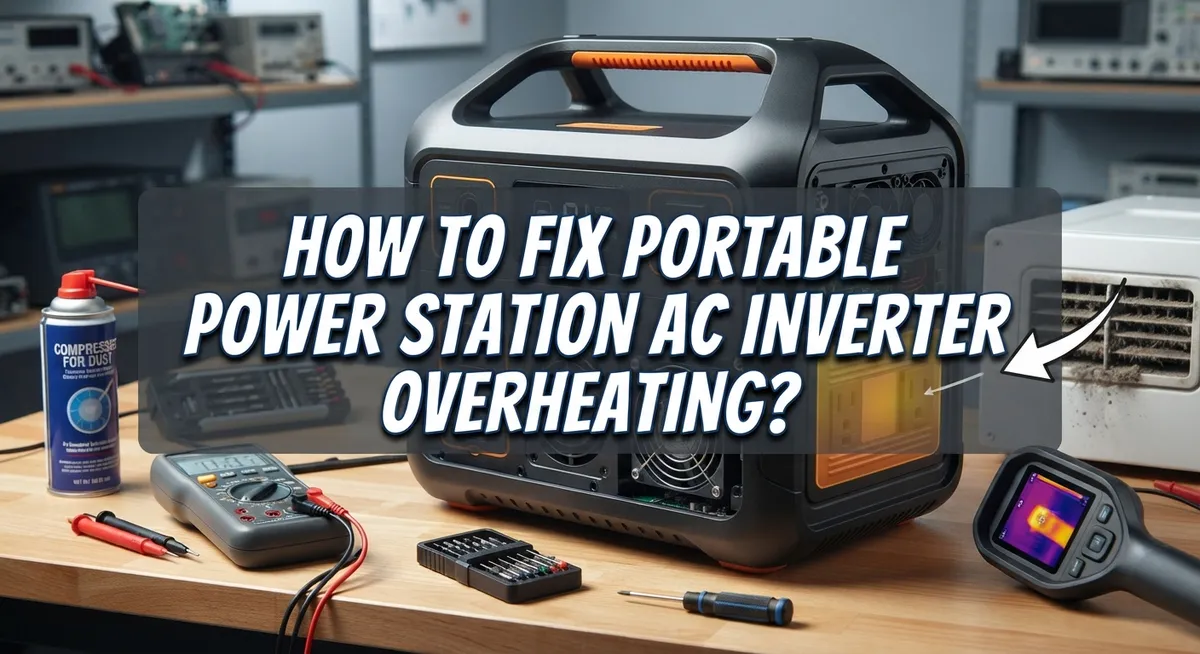
How To Fix Portable Power Station AC Inverter Overheating?
Your portable power station keeps you charged during camping trips and power outages. But then the AC inverter gets hot. Too hot. And suddenly your device shuts off without warning.
This problem frustrates many users. You plug in your devices, expect steady power, and instead face an unexpected shutdown. Overheating is one of the most common issues with these units.
The good news? You can fix this problem yourself. Most overheating issues come from simple causes. Poor ventilation, undersized inverters, or skipping cooldown time all play a role.
In this guide, we will walk you through practical fixes. You will learn how to cool down your unit safely. We will show you the right way to restart AC output after a shutdown.
In a Nutshell
- Move your power station to a cool spot. Pick a well ventilated area away from direct sunlight or heat sources.
- Turn off the unit completely. Disconnect every device before you do anything else.
- Give it time to cool down. Wait at least 30 minutes before you try the AC output again.
- Restart with caution. Reconnect only low power devices first to check if it works properly.
- Check your inverter size. A small inverter, like a 75W unit, cannot handle high demand loads. This mismatch often causes overheating.
- Avoid weak power sources. Skip cigarette lighter outlets since they rarely deliver stable power.
- Inspect the AC/DC switch and charging function. A quick check helps you catch problems early.
Why AC Inverters Overheat in Portable Power Stations
AC inverters in portable power stations overheat due to several straightforward reasons. Understanding these causes helps you prevent future problems and keep your device running safely.
Inadequate ventilation stands as the primary culprit. Your power station needs airflow around all sides to release heat. When you place it in a closed space, against a wall, or inside a bag, heat builds up inside the unit. The inverter works harder to convert power, and without proper airflow, temperatures climb rapidly.
High demand loads push your inverter beyond its limits. If your inverter is undersized for the devices you’re running, it generates excessive heat trying to deliver power. For example, running multiple high wattage appliances simultaneously stresses the system. The inverter’s internal components work overtime and overheat as a result.
Extreme ambient temperatures make the problem worse. Hot environments prevent the unit from cooling down effectively. Cold temperatures also degrade battery and inverter performance, though overheating typically occurs in warm conditions. Your power station performs best in moderate temperature ranges.
Repeated full battery drains accelerate inverter degradation over time. Draining your battery completely from 100% to 0% repeatedly stresses the entire system. This repeated stress weakens internal components and reduces their ability to handle heat dissipation.
Poor power source connections contribute to overheating as well. Using inadequate charging sources forces your inverter to work inefficiently. This extra strain generates unwanted heat during operation.
Dust and debris buildup inside the unit blocks airflow through cooling vents. Over time, particles accumulate and insulate internal components. This prevents heat from escaping properly.
The combination of these factors creates the perfect storm for overheating. Most overheating issues stem from ventilation problems paired with excessive load demands. Recognizing these causes empowers you to make simple adjustments that keep your power station cool and functional.
Signs Your Inverter Is Overheating
Your inverter sends you warning signs before it fails completely. Learning to spot these signals helps you act fast and prevent damage.
Audible alarms and beeping sounds are the first red flags. Your power station will emit warning tones when internal temperatures climb too high. These beeps tell you the thermal protection system is working. Listen for them during normal operation.
Reduced AC output power happens next. You notice devices charge slower or run with less energy than usual. Your inverter automatically reduces its output to protect itself. This is your cue to stop using the AC outlet immediately.
The AC output stops working entirely when overheating reaches critical levels. You flip the switch but nothing happens. The inverter has triggered a thermal shutdown to prevent permanent damage. This is actually a safety feature, not a failure.
Hot exterior surfaces mean internal temperatures are dangerously high. Touch the outside casing carefully. If it feels uncomfortably warm to your hand, the inverter is overheating. Never ignore this sign.
Visible error messages on the display provide specific information. Many power stations show temperature warnings or thermal shutdown alerts. Read these messages carefully. They guide your next steps.
Burning smells indicate serious problems. If you detect any acrid or electrical odors, stop using the unit immediately. This suggests internal components are overheating excessively.
Flickering lights connected to your power station signal thermal stress. The inverter struggles to deliver stable power when overheating. Devices powered by the AC outlet may flicker or turn on and off randomly.
Pay attention to these signs early. The sooner you recognize overheating symptoms, the faster you can cool down your power station and prevent permanent damage to expensive components.
Step-by-Step Fix for an Overheating AC Inverter
When your portable power station’s AC inverter overheats, you need a systematic approach to fix it. Start by moving the unit to a cool, well ventilated location immediately. Place it away from direct sunlight, heat sources, and enclosed spaces that trap warm air.
Disconnect all devices from your power station right now. Turn off the unit completely using the power button. This stops the inverter from working and allows internal components to cool down safely.
Wait at least 30 minutes before attempting to restart. This cooldown period is critical. The inverter needs time to bring its internal temperature back to normal operating levels. Set a timer so you don’t restart too early.
After the cooldown period, power on the unit again. Do not reconnect high demand devices immediately. Instead, plug in only low power devices first, like a phone charger or small lamp. This lets you verify the inverter is working properly without stressing it again.
Check what caused the overheating in the first place. Did you connect too many devices at once? Were you using high power appliances like hair dryers or space heaters? An undersized inverter cannot handle these loads, so you may need a larger capacity unit.
Verify your power source quality as well. If you charged the power station from a weak outlet or cigarette lighter, this creates electrical stress that generates heat. Always use proper wall outlets or dedicated charging ports.
Monitor the unit’s temperature during this restart process. Feel the exterior surface carefully. If it feels hot again within minutes, disconnect everything and let it cool for another 30 minutes. Repeated overheating suggests a deeper problem requiring professional inspection or unit replacement.
How to Safely Restart AC Output After Cooldown
After your power station cools down, you need to restart AC output carefully. This process protects your inverter from damage and prevents overheating from happening again.
Start by keeping the unit powered off completely. Leave it in a cool, well-ventilated space for at least 30 minutes. Good airflow around the device helps heat escape faster. Don’t rush this cooling period, as restarting too soon can trigger the thermal protection again.
Once the cooldown time passes, check that all devices remain disconnected from the AC outlets. This step is critical. Your inverter needs to restart without any load attached.
Power on the unit and let it run for several minutes with no devices connected. Watch the display for any error messages or warning lights. Listen for unusual sounds. If everything seems normal, your inverter is ready for careful use.
Now reconnect devices, but start with low-power items first. A phone charger or small lamp draws minimal current and won’t stress the inverter. Monitor the unit’s temperature as it operates. The exterior should feel warm but not hot to touch.
Avoid reconnecting high-demand devices immediately after restart. Things like space heaters, power tools, or multiple appliances create the same overheating conditions you just fixed. Wait at least 15 minutes between reconnecting each device.
If your AC output fails to work after this restart cycle, the thermal shutdown protection is still active. This means the inverter needs more cooling time. Return it to a cool location and wait another 30 minutes before trying again.
Pay attention to what caused the overheating originally. Was the unit in direct sunlight? Were you running too many devices at once? Were the vents blocked by dust or objects? Identifying the cause prevents future overheating episodes and keeps your power station working reliably.
Preventing Overheating: Ventilation and Placement Tips
Proper ventilation and placement are your first defense against AC inverter overheating. Your power station needs breathing room to function safely. Place the unit in a location where air can flow freely around all sides, especially near the vents where heat escapes.
Keep your power station away from direct sunlight. Heat from sun exposure adds to the internal temperature that your inverter already generates. A shaded spot indoors works much better than outdoor placement during hot days.
Avoid enclosed spaces like cabinets, closets, or under blankets. These areas trap heat and prevent cool air from reaching the unit. Your inverter works harder when it cannot cool itself properly.
Temperature matters significantly for inverter health. Extreme heat degrades battery performance and forces your inverter to work harder. Keep the unit in a cool environment, ideally between 50 and 85 degrees Fahrenheit when possible.
Never stack items on top of your power station. Weight on the unit can block ventilation holes and compress internal components. Leave clear space above and around the device.
Check your vents regularly for dust and debris. Blocked vents prevent air circulation and cause thermal buildup inside. Wipe vents gently with a dry cloth to keep them clean.
Position the unit on a flat, hard surface rather than carpet or soft materials. Carpet blocks airflow from the bottom vents. Hard floors allow air to circulate underneath the device.
During hot weather, consider using a fan nearby to improve air circulation around your power station. The moving air helps carry heat away from the unit without requiring you to move the device itself.
Adequate spacing and airflow prevent most overheating problems before they start. Simple placement choices protect your inverter from thermal stress and extend its lifespan significantly.
Common Mistakes That Trigger Overheating
Undersized inverters are the biggest culprit behind AC overheating problems. When you use an inverter rated for lower power output, it struggles to handle devices that demand more energy. For example, plugging a high-wattage appliance into a 75-watt inverter forces the unit to work at maximum capacity continuously.
This constant strain generates excessive heat inside the inverter. The internal components cannot cool down properly because they never get a break from the workload. Your power station’s thermal protection kicks in and shuts down AC output to prevent damage.
Connecting to inadequate power sources creates another common mistake. Many people plug their power station into a cigarette lighter outlet while charging. These outlets deliver insufficient current and force the charger to work harder than designed.
The extended charging time combined with poor power delivery generates heat buildup. Your battery and inverter both suffer from this improper charging setup. Always use proper wall outlets or dedicated charging sources instead.
Reconnecting high-power devices too quickly after a restart is another frequent error. People often power down their station, wait briefly, then immediately plug in demanding appliances. Your inverter needs time to stabilize and cool after thermal shutdown.
Rushing this process triggers another overheating cycle before the unit fully recovers. Wait several minutes after restarting before connecting any devices. Start with low-power items and monitor the temperature display carefully.
Ignoring environmental factors also contributes significantly to overheating. Running your power station in hot rooms or direct sunlight adds external heat stress. The inverter must work harder to manage both internal and external temperature increases.
Poor ventilation around the unit traps hot air and prevents cooling. Dust accumulation on vents blocks airflow and reduces cooling efficiency. Regular maintenance and proper placement prevent most overheating issues before they develop into serious problems.
Troubleshooting: When AC Output Won’t Turn Back On
When your power station’s AC output won’t turn back on after overheating, a thermal shutdown is usually the cause. The inverter stops functioning as a safety measure to protect internal components from damage. Understanding this process helps you restore power correctly.
Start by disconnecting everything from the AC outlets immediately. Leave all devices unplugged. This removes any load stress from the system and allows the inverter to cool down faster without working.
Power off the entire unit completely. Don’t just switch off the AC output. Turn off the main power button and wait several minutes. This full shutdown resets the inverter’s internal systems and gives components time to cool.
Next, allow at least 30 minutes of cooldown time in a cool, well-ventilated space. Move your power station away from heat sources and direct sunlight. Ensure air can flow freely around all sides of the unit. Check that vents aren’t blocked by dust or debris. Good airflow is essential for heat dissipation.
After the cooldown period, power on your unit again with no devices connected. Let it run for several minutes and watch the display for error messages. If the AC output activates without issues, the thermal shutdown worked correctly.
Now reconnect your devices, but start with low-power items only. Plug in something like a phone charger or small lamp first. Wait a few minutes and observe how the unit responds. Only after confirming stable operation should you reconnect higher-demand devices.
If the AC output still won’t turn on after this process, the inverter may have internal damage. In this case, the unit needs professional inspection. Repeated overheating events can permanently affect inverter functionality, so prevention through proper ventilation and load management is critical for long-term reliability.
Final Thoughts
Overheating problems feel stressful in the moment. But most fixes are simple and quick.
Your power station gives you clear signals when something is wrong. Listen to those signals instead of ignoring them.
Good airflow solves most overheating issues. Keep your unit in an open space with room to breathe.
Cooldown periods matter more than people think. Rushing this step often causes the same problem again.
Match your power needs to your inverter’s capacity. An undersized inverter will overheat no matter how careful you are.
Quality power sources make a real difference too. Skip unreliable outlets like cigarette lighter ports whenever possible.
Small habits protect your device long term. Check vents, avoid direct sunlight, and give your unit space.
Patience during the restart process saves you from repeat shutdowns. Add devices slowly, starting with low power items first.
If problems continue after following these steps, internal damage might be the cause. At that point, professional repair or replacement becomes necessary.
Most users never reach that stage though. Simple prevention handles the vast majority of overheating cases.
Think of your power station like any other electronic device. It needs proper care to perform well.
Consistent habits beat emergency fixes every time. A few seconds of positioning care saves you thirty minutes of cooldown time later.
Your power station serves you best when you understand its limits. Respect those limits, and it will last for years.
Overheating doesn’t have to be a mystery. With the right steps, you can solve it fast and get back to using your device with confidence.
Frequently Asked Questions
Why does my portable power station’s AC inverter overheat?
Your inverter generates heat when it works hard. High power demands push the device beyond its limits. Poor ventilation traps hot air around the unit. Undersized inverters struggle more than larger ones. Battery degradation also increases heat production over time. Extreme room temperatures make overheating worse.
How long should I wait before restarting after overheating?
Allow at least 30 minutes of cooldown time. Place your unit in a cool, well-ventilated space during this period. Don’t rush this step. The longer you wait, the better your inverter recovers. Some situations need even more time for full cooling.
Can I reconnect my devices right after the unit cools down?
Start with low power devices only. Reconnect one item at a time. Wait a few minutes between each connection. This prevents another overheating cycle. High power devices should be your last choice. Never plug in demanding appliances immediately after restart.
What does thermal shutdown mean for my power station?
Thermal shutdown is a safety feature. Your inverter stops working when it gets too hot. This protects internal components from permanent damage. It’s not a failure. The system is actually protecting itself. Once cooled properly, it should restart normally.
Should I upgrade to a larger inverter capacity?
A larger capacity inverter handles high demands better. It produces less strain and heat during operation. Check your typical power needs first. Match your devices to your inverter’s rating. Undersized units cause repeated overheating problems. Proper sizing prevents many issues before they start.

Hi, I’m Minnie Cole, the creator of The Output Lab — a space where I share my passion for all things tech. I spend my days exploring the latest gadgets, devices, and electronics on Amazon, putting them through real-world testing so you don’t have to.