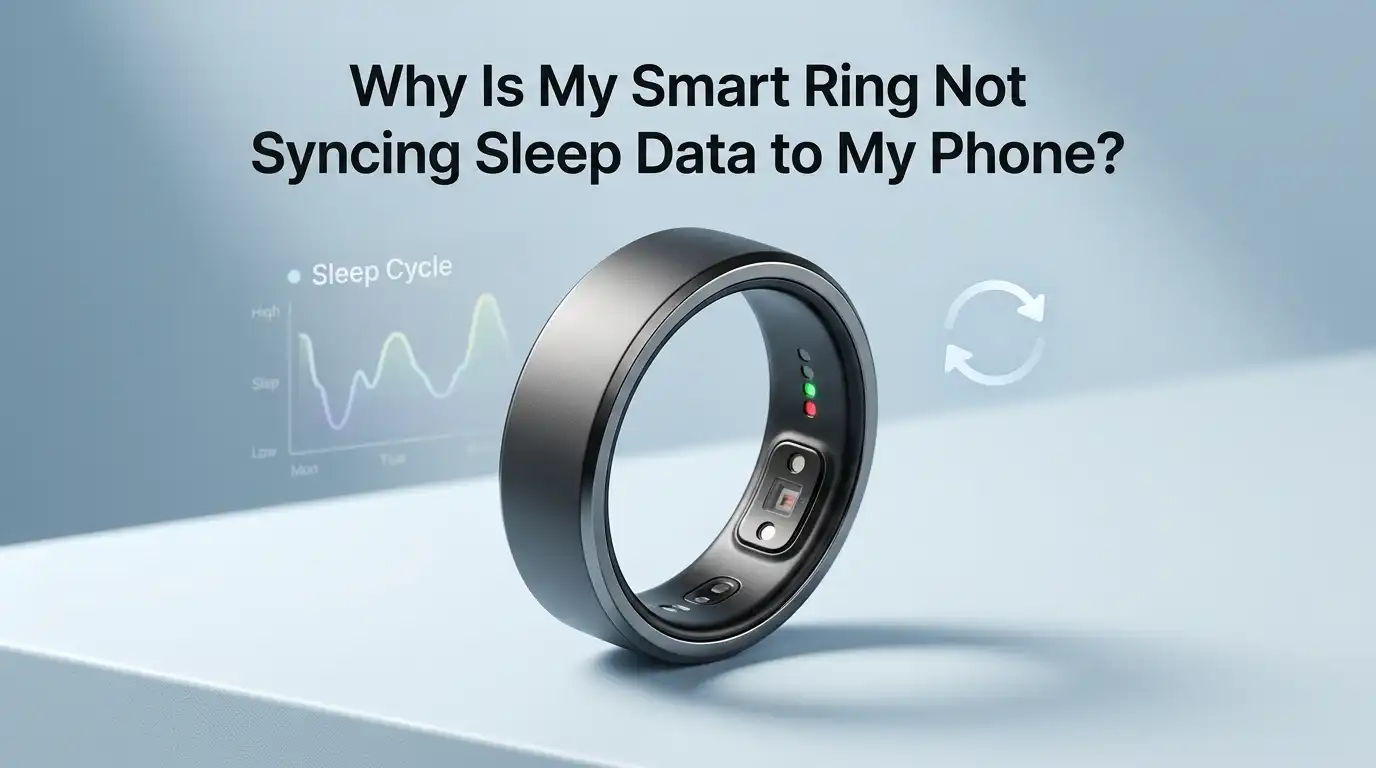
Why Is My Smart Ring Not Syncing Sleep Data to My Phone?
Smart rings track your sleep while you rest. They measure heart rate, body temperature, and movement during the night. But sometimes you wake up, open the app, and see nothing. The sleep data is missing. The ring will not sync to your phone.
This problem frustrates many smart ring users. You paid good money for sleep insights, and now your data is gone. The good news is that most sync issues have simple fixes. You do not need to call support right away.
This guide walks you through every reason your smart ring may fail to sync sleep data. You will learn quick fixes, deeper troubleshooting steps, and ways to stop the problem from happening again. Let us solve this together.
In a Nutshell
- Bluetooth issues cause most sync failures. Toggling Bluetooth off and on, or restarting your phone, fixes the problem in many cases.
- A low battery during the night stops sleep tracking. Your ring needs at least 20 to 30 percent battery to record a full sleep session.
- Outdated firmware or app versions break the connection. Always update both the ring firmware and the companion app to the latest version.
- Wearing the ring incorrectly leads to missing data. The ring must sit snug on your index, middle, or ring finger with the sensor facing your palm.
- Phone settings like battery saver, airplane mode, and background app limits can block the sync process without warning.
- A factory reset is the last resort. If nothing else works, reset the ring, remove it from your Bluetooth list, and pair it again from scratch.
Check If Bluetooth Is Turned On and Working
Bluetooth is the bridge between your ring and phone. If Bluetooth is off, no data moves. Open your phone settings and confirm Bluetooth is active. Then check that your ring shows up in the list of paired devices.
Sometimes Bluetooth glitches even when it looks fine. Toggle it off, wait ten seconds, and turn it back on. This refresh clears small errors that block the sync. Try syncing the app again right after.
If your phone has airplane mode enabled, Bluetooth turns off automatically. Disable airplane mode and reconnect. Some users also report that switching Bluetooth between phones causes pairing conflicts.
Pros of this fix: It takes less than a minute. It works for most minor sync problems.
Cons: It does not solve deeper issues like firmware bugs or hardware faults. You may need to repeat the toggle each morning if a software bug exists.
Make Sure Your Ring Has Enough Battery
A dead or near dead ring cannot record sleep. Most smart rings need at least 20 percent battery to track a full night. If the ring shuts off at 3 a.m., your sleep data ends there too.
Check the battery level in the app before you go to bed. Charge the ring for 20 to 60 minutes earlier in the evening if it looks low. Many rings reach a full charge in under 90 minutes.
Some users charge the ring during their morning shower or coffee routine. This habit keeps the battery topped up and avoids missed nights.
Pros of charging early: You always start the night with full power. The ring captures every sleep stage.
Cons: You must remember to charge it daily or every other day. Older rings with worn batteries may not hold a charge as long as they used to, which means you might need a battery service or replacement after a year or two.
Restart Your Phone and the Companion App
A simple restart fixes more tech problems than people expect. Close the smart ring app fully, then reopen it. On iPhone, swipe up and flick the app away. On Android, use the recent apps button and clear it.
If that does not work, restart the phone. Hold the power button, slide to power off, then turn it on again. This clears memory, refreshes Bluetooth drivers, and resets background services that may have crashed.
After the restart, open the app and pull down on the home screen to force a manual sync. Many apps let you tap and hold the dashboard to trigger this.
Pros of restarting: It costs nothing. It often fixes sync delays caused by app crashes or memory leaks.
Cons: It interrupts your morning routine. You may lose unsent notifications or in app drafts. Still, this step solves a surprising number of sync failures and should be your second move after checking Bluetooth.
Update the App to the Latest Version
App developers push updates every few weeks. These updates fix bugs, patch security holes, and improve sync reliability. An outdated app can lose connection to the ring after a phone OS update.
Open the App Store on iPhone or the Play Store on Android. Search for your smart ring app and check for an update button. Install any pending update and restart the app.
Some users turn off automatic updates to save data. If you did this, you may be running an old version without knowing it. Turn auto updates back on for health apps.
Pros of updating: You get new features, better battery reporting, and fewer bugs. The fix is permanent for that version.
Cons: A new update sometimes introduces fresh bugs of its own. Read recent reviews before installing if you suspect the latest version is buggy. You can also wait a few days for a hotfix release if other users report problems.
Update Your Smart Ring Firmware
Firmware is the software inside the ring itself. Old firmware can stop talking to a newer app. Most companion apps show a firmware update notice on the device page.
Place the ring on its charger before you start the update. The process can take 10 to 30 minutes and drains the battery quickly. Keep your phone close and the app open the whole time.
Do not remove the ring from the charger during the update. A failed firmware install can brick the device. If the update fails, contact support before trying again.
Pros of firmware updates: They fix deep bugs that app updates cannot reach. They often add new sleep tracking features like apnea detection or improved heart rate accuracy.
Cons: The update can take a long time and ties up your ring. A failed update may need a factory reset or a warranty replacement, so always charge the ring fully before you begin.
Wear the Ring the Right Way
A loose ring slides around and loses sensor contact. A tight ring cuts off blood flow and gives bad readings. Both lead to missing sleep data.
The ring should fit snugly with the sensor bumps facing your palm. Most brands recommend the index finger for best accuracy, though the middle and ring fingers also work. The ring should not spin freely on your finger.
Cold weather shrinks fingers. Hot weather and salty meals swell them. If your ring feels loose in winter, move it to a thicker finger for the night.
Pros of correct wear: You get clean, complete sleep data every night. The ring stays in place and avoids accidental power offs.
Cons: You may need a different size ring for summer and winter, which adds cost. Some people also find the sensor bumps uncomfortable when sleeping on their hand. A small adjustment in finger position usually solves this.
Turn Off Battery Saver and Background Restrictions
Phones try to save battery by limiting background apps. This often blocks your smart ring app from syncing while you sleep. Android phones are the worst offenders, but iPhones do this too.
Open your phone settings and find Battery or Power. Look for the smart ring app in the list and set it to unrestricted or no battery optimization. On Android, also check Doze mode settings.
On iPhone, go to Settings, then the app name, and turn on Background App Refresh. Also allow Bluetooth and Notifications.
Pros of removing restrictions: Your ring syncs the moment you wake up. Notifications arrive on time. Sleep data appears in the app without manual pulls.
Cons: Your phone battery may drain a bit faster. Most users see only a 1 to 3 percent extra drain per day, which is a fair trade for reliable sleep tracking.
Sign Out and Back Into the App
Sometimes the app account session breaks. The ring connects but the app cannot push data to the cloud. Signing out forces a fresh login and clears stale tokens.
Open the app menu and look for Account or Profile. Tap Sign Out or Log Out, then close the app. Reopen it, sign back in with your email and password, and let it sync.
Make sure you remember your password before you sign out. If you use Apple or Google sign in, the process is faster.
Pros of this fix: It clears account level errors that no other step can fix. It often restores sync without a full reset.
Cons: You may lose locally cached data that has not synced yet. Some apps also ask you to verify your email again. Keep your password manager handy and check that two factor authentication codes still reach your phone.
Forget the Ring in Bluetooth and Pair Again
A corrupted pairing record causes random sync failures. Removing the ring from your Bluetooth list and pairing it fresh fixes this. The process takes about five minutes.
Open phone settings, go to Bluetooth, and tap the info icon next to your ring. Choose Forget This Device or Unpair. Then put the ring on its charger and follow the app setup wizard to pair again.
Do not delete the app yet. The app keeps your sleep history even after you unpair the ring.
Pros of repairing: It fixes deep Bluetooth conflicts that toggling cannot solve. It also clears old device entries from previous phones.
Cons: You may need to redo some app settings like sleep schedules or notification preferences. The process also requires the charger and a stable internet connection. If the pairing fails, try moving away from other Bluetooth devices that may cause interference.
Check for Phone Operating System Updates
A new iOS or Android version can break Bluetooth drivers. At the same time, an old OS may not support the latest ring features. Keep your phone updated to avoid both problems.
Go to Settings, then General, then Software Update on iPhone. On Android, go to Settings and search for System Update. Install any pending update over Wi Fi while the phone charges.
Big OS updates can take 30 minutes or more. Plan the update for a time when you do not need your phone.
Pros of OS updates: They patch security holes and improve Bluetooth stability. They also support the newest features in your ring app.
Cons: A fresh OS update sometimes breaks third party apps for a few days. If your ring stopped syncing right after a phone update, check the app developer’s social media for known issues. A small app patch usually arrives within a week.
Reduce Bluetooth Interference Around You
Bluetooth signals are weak. Other wireless devices, thick walls, and metal objects can block them. Your ring may fail to sync if your phone is too far away or buried under blankets.
Keep your phone within ten feet of the ring at night. Avoid placing the phone inside a metal drawer or under a heavy pillow. Wi Fi routers, microwaves, and baby monitors on the 2.4 GHz band can also cause static.
If you live in an apartment with many devices nearby, the airwaves get crowded. Move your phone closer or change its position.
Pros of reducing interference: The sync becomes faster and more reliable. You also get better real time heart rate readings during workouts.
Cons: You may need to rearrange your bedroom setup. Some people do not want their phone near the bed for sleep hygiene reasons. In that case, place the phone on a nearby shelf rather than across the room.
Do a Factory Reset on the Smart Ring
A factory reset wipes the ring back to its first day. Use this only when nothing else works. The ring loses all paired devices and personal settings.
Open the app, find Device Settings, and look for Factory Reset. Confirm the action and place the ring on the charger. Wait for the lights to flash, then set up the ring again as a new device.
You will not lose your sleep history because the data lives in the cloud, not the ring.
Pros of a factory reset: It fixes deep firmware glitches that updates cannot reach. It often brings a stuck ring back to life.
Cons: The setup takes 15 to 30 minutes and may need a fresh firmware install right after. You also lose any in ring data that has not synced yet. If the reset does not fix the issue, the ring likely has a hardware fault and needs warranty service.
Contact Customer Support When All Else Fails
Some sync problems come from hardware faults. A cracked sensor, a swollen battery, or water damage cannot be fixed at home. Reach out to the brand’s support team with your order number and a clear description of the issue.
Send photos of the ring, screenshots of the app, and notes on what you have already tried. Most brands respond within one to three business days. They may offer a replacement under warranty.
Keep the original packaging if you are still in the return window. It speeds up the process.
Pros of contacting support: You get expert help and possibly a free replacement. They can also push remote firmware fixes to your specific ring.
Cons: The wait time can stretch over a week. You may be without sleep tracking during that period. A loaner ring is rarely offered, so plan your sleep tracking around the gap.
FAQs
Why does my smart ring sync some nights but not others?
Random sync failures usually point to Bluetooth interference or a low battery on certain nights. Check your charge level and phone position before bed. Also confirm that battery saver mode is off on your phone.
Can I recover lost sleep data after a sync failure?
In most cases, no. If the ring did not record the data, it cannot be retrieved. If the ring recorded but failed to upload, the data may sync the next time you connect. Keep the ring near your phone and open the app to trigger the upload.
How long should the sync process take each morning?
A normal sync takes 30 seconds to two minutes. Longer waits suggest a Bluetooth issue or a large data backlog. Pull down on the app dashboard to force a manual sync if needed.
Will a factory reset delete my past sleep history?
No. Your sleep history lives in the cloud account, not the ring itself. A factory reset only clears the ring’s local memory and pairing data. Your charts and trends stay safe.
Can I use my smart ring with two phones at once?
Most smart rings pair with only one phone at a time. Switching phones requires you to unpair from the first and pair with the second. A few brands now offer multi device support through their app, so check your model’s specs.
Does airplane mode on my phone stop sleep tracking?
The ring still tracks sleep on its own because it has internal memory. However, the data will not sync to the app until you turn airplane mode off and Bluetooth back on. Sync the next morning to see your results.
Hi, I’m Minnie Cole, the creator of The Output Lab — a space where I share my passion for all things tech. I spend my days exploring the latest gadgets, devices, and electronics on Amazon, putting them through real-world testing so you don’t have to.