
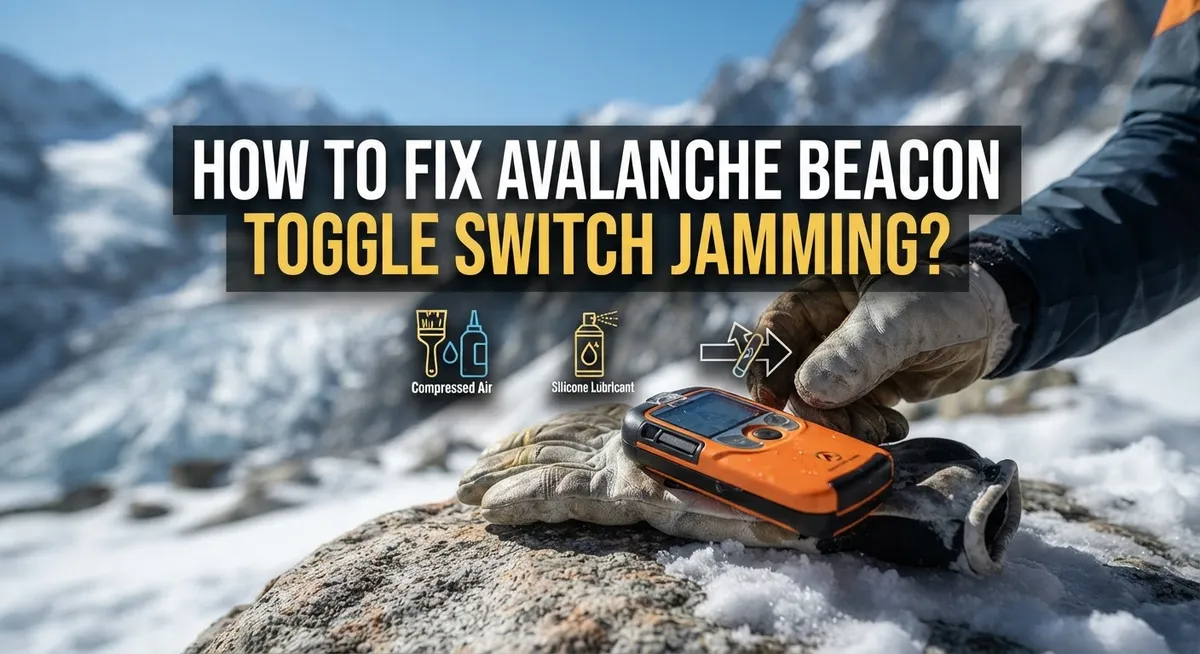
How To Fix Avalanche Beacon Toggle Switch Jamming?
Picture this. You are on a snowy slope, ready for your tour. You reach for your avalanche beacon and try to switch modes. But the toggle switch feels stuck.
This small problem can turn into a big safety risk. Your beacon needs to switch smoothly between transmit and search modes. A jammed switch can slow down rescue efforts when every second counts.
The good news? This issue is often easy to fix. Many riders face this same frustration, especially in cold weather or after heavy use.
In a Nutshell
- Pull the sliding lock first. Always pull the lock before you rotate the dial switch. This simple step stops most jamming problems.
- Check for “SE” on the display. When you switch to search mode, the screen should flash “SE”. This confirms your beacon detects a signal properly.
- Avoid metal and electronics nearby. Keep your beacon away from heated gloves, magnetic buttons, and phones. These items cause interference and false readings.
- Test the auto-revert function at home. Check this feature on your desk before every tour. It switches your beacon back to transmit mode automatically if needed.
- Never skip your pre-tour beacon check. This step catches switch problems before you hit the slopes. A quick check now prevents big risks later.
- Restart if you see a warning. Move away from metal objects first. If the warning stays, contact the manufacturer for help.
Following these steps keeps your beacon reliable. Your safety on the mountain depends on it.
Understanding How the Toggle Switch Works
Your avalanche beacon’s toggle switch controls two essential functions: transmit mode and search mode. Understanding how this switch operates helps you fix jamming issues quickly.
In transmit mode, your beacon sends out a signal. This mode activates when you’re skiing or snowboarding. The beacon broadcasts your location continuously so rescue teams can find you if an avalanche occurs.
In search mode, your beacon receives signals from other beacons. You switch to this mode when you need to locate a buried person. The device scans for incoming signals and helps you pinpoint the victim’s location.
The toggle switch physically moves between these two positions. A sliding lock sits above the dial switch and prevents accidental mode changes. You must pull this lock fully before rotating the dial. This design protects you from switching modes accidentally during your descent.
When the switch jams, it gets stuck in one position. You cannot rotate it to access the other mode. This creates a serious safety problem because you lose rescue capability if needed.
The switch mechanism uses simple mechanical parts. Dirt, ice, or debris can accumulate in the switch housing. Cold temperatures make materials contract and tighten. Moisture can freeze inside the mechanism. All these factors contribute to jamming.
The display shows your current mode. When operating correctly, you see clear indicators of which function is active. If the switch jams, you lose the ability to change these indicators.
Knowing this basic operation helps you recognize when something goes wrong. You’ll understand why the pre-tour check matters so much. A functioning toggle switch means you have full control over your beacon’s life saving capabilities.
Why Toggle Switches Jam: Common Causes
Toggle switches jam for several practical reasons. Understanding these causes helps you prevent problems before they start.
Cold weather is a major culprit. When temperatures drop, moisture inside your beacon can freeze. This ice buildup prevents the switch from moving smoothly. Salt and dirt also accumulate on the switch mechanism during winter use. These particles act like sandpaper, creating friction that locks the switch in place.
Mechanical wear and tear matters too. Every time you rotate the switch, tiny metal parts rub together. Over months and years, this friction wears down the internal components. The switch becomes less responsive and eventually stops moving altogether.
Physical impact causes immediate jamming. Dropping your beacon or hitting it against hard surfaces can bend the internal switch components. Even small dents can prevent smooth rotation. Rough handling during packing or unpacking your gear adds up over time.
Debris and moisture are silent killers. Sand from your backpack, sweat from your hands, and humidity all find their way into the switch housing. This contamination creates resistance that makes rotation difficult or impossible.
Corrosion develops slowly but steadily. Metal parts inside the switch react with moisture and salt. This chemical reaction creates a sticky residue that glues the switch in place. Corrosion is especially common for beacons used in coastal mountains or wet conditions.
Improper operation speeds up jamming. Forcing the switch without pulling the sliding lock first can bend internal parts. Rotating the switch too quickly or aggressively also causes damage. Gentle, intentional movements keep the mechanism working properly.
These causes often work together. Cold weather plus debris plus rough handling creates the perfect storm for a jammed switch.
Step-by-Step Guide to Fixing a Jammed Toggle Switch
A jammed toggle switch requires a systematic approach to restore function. Start by stopping your activity immediately and moving to a safe location away from avalanche terrain.
First, locate the sliding lock on your beacon. This lock sits near the toggle switch and prevents accidental mode changes. Pull this lock completely outward before attempting any rotation. Many people skip this step, which is why their switch feels stuck.
Next, gently attempt to rotate the dial toward the search position. Use steady, controlled pressure rather than force. If resistance is extreme, do not continue. Forcing a jammed switch can cause permanent damage to internal components.
Once you rotate the switch, check your display immediately. Look for the “SE” indicator, which confirms your beacon entered search mode correctly. This visual confirmation tells you the switch mechanism responded to your input.
If the switch still will not rotate after pulling the lock, pause and assess the situation. Check for ice buildup around the switch housing. Cold weather causes moisture to freeze in tight spaces. Gently warm the switch area with your hand or move to a warmer location for a few minutes.
Remove any visible debris around the switch opening. Use a clean, dry cloth to wipe away snow, ice, or dirt. These materials often create false jamming sensations.
Test the auto-revert function before continuing your tour. In search mode, your beacon should automatically return to transmit mode after a set time. Verify this works by waiting and observing the display change.
If your switch remains unresponsive after these steps, restart your beacon completely. Power it off, wait 30 seconds, then power it back on. This resets internal electronics and sometimes clears mechanical resistance.
Contact the manufacturer if problems persist after restart.
Testing Your Beacon After the Fix
After you fix your jammed toggle switch, testing becomes your safety net. A repaired beacon must work perfectly before you head into the backcountry.
Start by switching your beacon to search mode. Pull the sliding lock fully and rotate the dial. Your display should show “SE” or a similar search indicator. This confirms the switch moves freely now.
Next, test signal detection in a safe location. Ask a friend to activate their beacon in transmit mode nearby. Your beacon should pick up their signal and display distance information. If nothing appears, move away from buildings and metal objects that cause interference.
Check the auto-revert function on your desk before leaving home. In receive mode, your beacon should automatically switch back to transmit after a set time. This safety feature prevents accidentally leaving your beacon in search mode. Press the button and watch your display carefully.
Perform a full beacon check following your manufacturer’s instructions. This includes verifying both transmit and search modes work correctly. Test the switch rotation multiple times to ensure smooth movement.
Listen for any grinding or clicking sounds during operation. Strange noises suggest internal damage that needs professional attention. A properly functioning switch rotates quietly and clicks into place.
Pay attention to your display during all tests. Flickering or missing information means something still needs attention.
Never skip these tests. A beacon that seems fixed but actually has problems puts your life at risk. Take the extra time to verify everything works as intended. Only then should you trust your beacon in the mountains.
Preventive Tips to Avoid Future Jamming
Preventing toggle switch jamming starts before you ever head to the mountains. Your beacon works hard in harsh conditions, so smart habits protect it long term.
Store your beacon in a dry place at home. Moisture is the enemy of mechanical switches. Keep your device in a cool, dry location away from bathrooms and basements where humidity builds up. Extreme temperature swings cause condensation inside your beacon, which leads to corrosion and jamming.
Clean your beacon regularly during the season. After each tour, wipe down the exterior with a soft, dry cloth. Pay special attention to the toggle switch area. Remove any snow, ice, or debris that collected during your day. A quick cleaning prevents particles from working their way into the mechanism.
Avoid wearing metallic or conductive gear near your beacon. Heated gloves with metallic threads, magnetic buttons, and metal zippers can interfere with your device. Keep these items away from your beacon during operation and storage.
Rotate your toggle switch gently and deliberately. Rough handling or forcing the switch accelerates wear on internal parts. Always pull the sliding lock fully before attempting any rotation. Smooth, controlled movements preserve the switch mechanism.
Perform pre tour beacon checks every single time. This habit catches problems before they become dangerous. Test your beacon in search mode and verify signal detection. Check the auto revert function on your desk before you leave home.
Store your beacon with the switch in transmit mode. This resting position reduces stress on internal springs and mechanisms. Leaving your switch in search mode for weeks can cause jamming when you need it most.
These simple steps keep your beacon ready when your life depends on it.
Common Mistakes That Cause or Worsen Jamming
Jamming often happens because people make simple mistakes before and during beacon use. Understanding these errors helps you avoid dangerous situations on the mountain.
Forcing the switch without unlocking it first is the most common mistake. Your sliding lock must be fully pulled back before you rotate the dial. Many people try to rotate the switch while the lock is still engaged. This forces internal components and causes jamming. Always check that the lock moves freely before attempting any rotation.
Operating your beacon near metal objects creates serious interference problems. Electronic devices, metal ski poles, chairlifts, and even certain clothing items can jam your switch. Heated gloves with metallic threads interfere with beacon function. Magnetic buttons on jackets cause the same issue. Keep your beacon away from these items during operation and testing.
Skipping pre tour checks means you discover jamming problems when you need rescue, not before. Many people assume their beacon works fine if they used it last week. Conditions change. Moisture builds up. Switches degrade. You must test your beacon before every single tour without exception.
Rotating the switch too roughly damages internal mechanisms over time. Gentle, deliberate movements preserve your beacon’s function. Aggressive or impatient rotations wear down components faster. Treat your switch like a precision instrument, not a light switch.
Storing your beacon in damp places invites moisture into the switch mechanism. Moisture causes corrosion and jamming. Keep your beacon in a dry environment at home and during the season.
These mistakes compound each other. One error often leads to another. Stay aware of these common problems and your beacon will stay functional when you need it most.
Troubleshooting Persistent Switch Issues
When your avalanche beacon’s toggle switch resists movement or feels stuck, you need to identify whether the problem is mechanical jamming or user error. The most common cause is forgetting to pull the sliding lock before attempting rotation.
Start by examining your beacon’s sliding lock mechanism. This lock sits near the toggle switch and prevents accidental mode changes during transport. Pull it completely toward you before trying to rotate the dial. Many people assume their switch is jammed when it’s simply locked in place.
If the lock is already pulled and the switch still won’t budge, stop immediately. Forcing it will damage internal components and make the problem worse. Instead, check for visible debris or ice around the switch housing. Gently wipe away any dirt or moisture with a soft, dry cloth.
Next, look for signs of moisture inside the beacon. Damp conditions cause corrosion on metal parts, which locks the switch in place. If you suspect moisture damage, remove the batteries and let your beacon air dry in a warm, dry location for several hours.
Test the switch again with gentle pressure. Rotate it slowly and deliberately. You should feel it move smoothly into each position without grinding sounds or excessive resistance.
If the switch remains completely stuck after drying and cleaning, contact your beacon’s manufacturer. Internal corrosion or mechanical failure requires professional repair. Never attempt to disassemble the beacon yourself, as this compromises its safety features.
Remember: a beacon with a stuck switch cannot switch between transmit and search modes. This makes rescue impossible. Always address switch problems before your next tour.
When to Seek Professional or Manufacturer Support
A jammed toggle switch is a serious safety issue. If your beacon won’t switch modes smoothly, you need to know when to call for help instead of forcing it further.
Stop using your beacon immediately if the switch feels completely stuck after you’ve tried gentle troubleshooting. Forcing a jammed switch can damage internal components permanently. This turns a fixable problem into a broken device.
Contact the manufacturer if you’ve already pulled the sliding lock and the switch still won’t rotate. Most manufacturers have customer support teams ready to help. They can tell you whether the issue is fixable at home or requires professional service.
Send photos or videos to the manufacturer showing exactly what happens when you try to move the switch. Describe any sounds the beacon makes. Explain what you’ve already tried. This information helps them diagnose the problem faster.
Ask the manufacturer about warranty coverage. Many beacons have warranties that cover mechanical failures like switch jamming. You might get a replacement or repair at no cost.
Professional repair services exist specifically for avalanche safety gear. These technicians have specialized tools and replacement parts. They understand beacon mechanics better than general repair shops.
Never take a jammed beacon into the backcountry. A beacon that can’t switch to search mode puts your life and others’ lives at risk. Wait until the switch works perfectly.
The timeline matters here. If you discover jamming days before a planned tour, contact support immediately. If jamming happens unexpectedly, skip the tour and get professional help. Your safety depends on having a fully functional beacon. No tour is worth risking your life with broken equipment.
Final Thoughts
Your beacon’s toggle switch protects you on the mountain. A jammed switch puts your safety at risk during an emergency.
Simple habits prevent most jamming problems. Always pull the sliding lock before you rotate the dial. This single step avoids the most common mistake skiers make.
Keep your beacon away from metal objects and electronic devices. Interference sources like heated gloves or magnetic buttons cause real problems. Your beacon works best when it operates without nearby distractions.
Pre tour checks are not optional. Test your switch every single time before you head out. This quick check takes seconds but saves lives when trouble strikes.
Watch your display for the “SE” signal in search mode. This confirms your beacon detects signals properly. Also test the auto revert function on your desk before each trip.
If your switch feels stuck, stop and assess it calmly. Gentle troubleshooting often solves minor jamming issues. Never force a switch that resists movement.
Moisture and rough handling damage internal mechanisms over time. Store your beacon in dry places and handle the dial with care. These small choices extend your beacon’s lifespan significantly.
When problems persist after basic troubleshooting, contact the manufacturer right away. Professional support exists for exactly this situation. Don’t wait until your tour date approaches.
A functioning toggle switch means reliable transmit and search modes when you need them most. Regular maintenance and careful use keep your beacon ready for action.
Your safety and your partner’s safety depend on this small mechanical part working correctly. Take beacon care seriously every time you head into the backcountry.
Frequently Asked Questions
Why does my beacon’s toggle switch feel stuck?
A stuck toggle switch usually means the sliding lock is still engaged. Before you rotate the dial, always pull the sliding lock completely away from the switch. If the lock is already pulled and the switch still won’t move, stop immediately. Do not force it. Internal damage can happen quickly with excessive pressure.
Moisture inside your beacon can also cause sticking. If your beacon was exposed to wet conditions, let it dry completely in a warm room for 24 hours. Then try the switch again with gentle pressure.
What should I do if the switch won’t rotate even after pulling the lock?
Stop using the beacon right away. A jammed switch is a serious safety issue. Do not take it into the backcountry.
Contact the manufacturer as soon as possible. Send them photos or videos showing exactly what happens when you try to move the switch. Ask about warranty coverage and repair options. Professional repair services exist specifically for avalanche safety gear, and they can fix internal damage you cannot see.
How do I prevent toggle switch jamming?
Keep your beacon away from metal objects and electronic devices. These cause interference and can damage internal components. Avoid wearing heated gloves with magnetic buttons or conductive materials near your beacon.
Perform a pre tour check every single time before you ski. This catches problems before they become dangerous. Rotate the dial to search mode and verify the display shows “SE” when you detect a signal.
What does it mean if my beacon shows a warning after I switch modes?
Move away from all metal and electronic objects immediately. Metal in your clothing, nearby structures, or equipment can trigger false warnings. Restart your beacon and try again in a clear area.
If the warning persists after you move away from interference, contact the manufacturer. This may indicate an internal problem that needs professional attention.

Hi, I’m Minnie Cole, the creator of The Output Lab — a space where I share my passion for all things tech. I spend my days exploring the latest gadgets, devices, and electronics on Amazon, putting them through real-world testing so you don’t have to.