
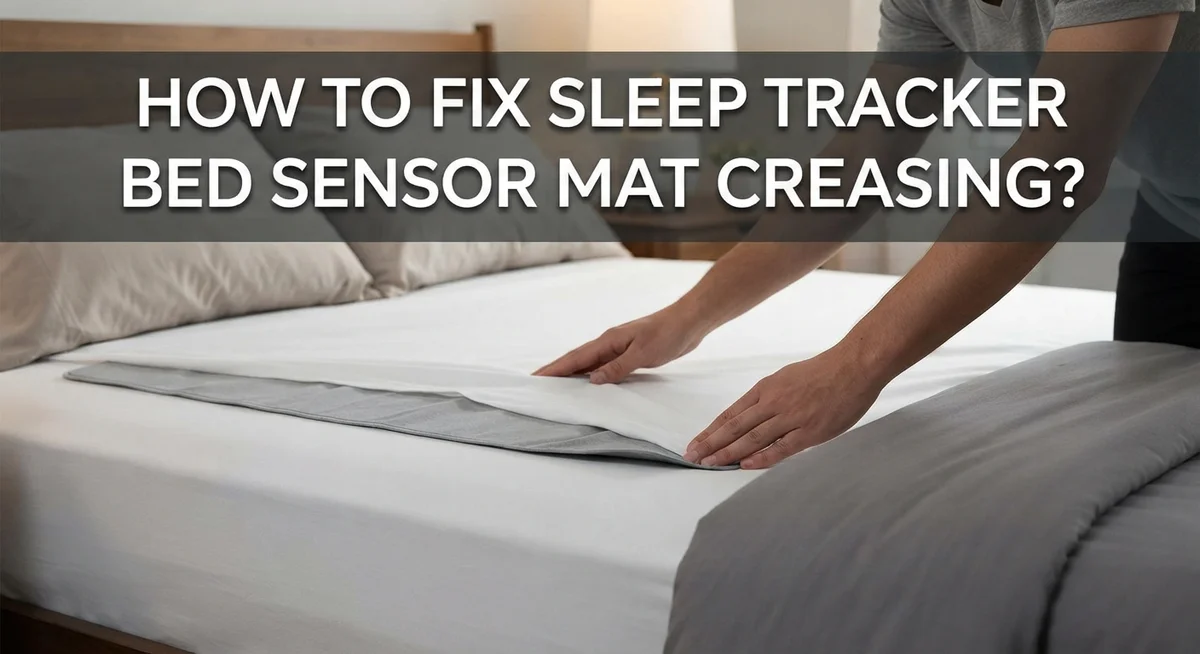
How To Fix Sleep Tracker Bed Sensor Mat Creasing?
Do you own a sleep tracker bed sensor mat? Then you probably know how annoying creasing can be.
A creased mat can feel uncomfortable under your sheets. It can also mess with your sleep data readings.
Many people face this same problem. The good news is that you can fix it with simple steps.
This article will show you why your sensor mat creases in the first place. We will look at common causes like folding, storage, and material quality.
You will also learn practical methods to smooth out those stubborn creases. We cover flattening techniques, proper storage tips, and daily care habits.
In a Nutshell
- Heat is your best friend. Warm the mat gently with a hairdryer on low heat. This softens the material and helps creases release naturally.
- Flat storage matters. Always roll your mat instead of folding it. Folding creates sharp lines that turn into permanent creases over time.
- Weight it down. Place heavy, flat objects on the crease overnight. This applies steady pressure and encourages the mat to flatten out again.
- Check the placement. Make sure your mat sits on a smooth, even surface. Bumpy mattresses or wrinkled sheets often cause creasing to return.
- Patience pays off. Some creases need repeated treatments before they disappear completely. Don’t give up after just one try.
- Prevention beats repair. Handle your mat carefully during setup and storage. This simple habit stops most creasing problems before they even start.
Why Sleep Tracker Sensor Mats Develop Creases
Sleep tracker sensor mats crease for several simple reasons. Understanding why this happens helps you prevent future damage.
Pressure and weight cause the most common creases. When you sleep on your mat night after night, your body weight presses down on the same spots. The mat’s material gets compressed over time. This compression creates permanent fold lines that are hard to remove.
Storage methods play a big role too. Many people fold their mats when not in use. Folding creates sharp creases that set into the material. The longer a mat stays folded, the deeper those creases become. Rolling is always better than folding for sensor mats.
Temperature changes affect the mat’s flexibility. Sensor mats are made from foam or rubber materials. These materials respond to heat and cold. When temperatures drop, the mat becomes stiff and less forgiving. Existing creases become more visible and harder to smooth out.
Uneven surfaces underneath your mat contribute to creasing too. If your bed frame has gaps, dips, or bumpy areas, the mat won’t lay flat. Your mat will bunch up and fold in response to the surface below it. This creates unwanted creases across the mat.
Improper handling during setup damages new mats quickly. Rough handling, dragging the mat, or twisting it can cause creases before you even use it. Gentle placement matters from day one.
Age and material fatigue cause creases over time. As sensor mats age, their materials lose elasticity. The foam or rubber becomes less springy. Old mats hold creases much longer than new ones.
Moisture and humidity can also play a part. Damp conditions make materials less flexible. A mat stored in a humid environment may develop creases more easily.
Knowing these causes helps you take better care of your mat and avoid future creasing problems.
Signs Creasing Is Affecting Your Sleep Data
A creased sleep tracker bed sensor mat can seriously mess with your sleep data accuracy. Here’s how to spot the problem before it gets worse.
Your mat may start giving inaccurate readings when creases form. The sensor underneath the fabric can’t make proper contact with your body through a fold or wrinkle. This means your heart rate, breathing, or movement data might show wrong numbers.
You might notice gaps in your sleep reports. Some nights your tracker records nothing, or the data looks strange and incomplete. This happens because creases block the sensors from working correctly. The mat can’t detect when you’re actually sleeping versus awake.
Pay attention to physical discomfort too. A creased mat feels lumpy and bumpy under your sheets. This lumpy feeling can actually keep you awake or disturb your sleep quality. You toss and turn more because the surface isn’t smooth and supportive anymore.
Check your sleep quality scores in your tracker app. If your numbers suddenly drop for no reason, creasing might be the culprit. Good data requires good sensor contact with your body. A wrinkled mat breaks that connection.
Look for visible folds and creases when you make your bed each morning. Run your hand across the mat surface. Feel for any raised edges, dips, or hard wrinkles. These physical signs mean your sensor mat needs attention soon.
Your mat positioning matters too. If creases appear in the same spot every time, that area probably sits on an uneven surface. This constant pressure creates permanent damage to the sensor mat’s structure.
Start taking action as soon as you notice these signs. Early treatment prevents creases from becoming permanent problems. The sooner you address the issue, the sooner your sleep data returns to normal accuracy.
Step-by-Step Guide to Flattening a Creased Sensor Mat
Start by identifying exactly where the creases sit on your mat. Run your hands across the surface slowly. Feel for raised ridges or sunken areas. Mark these spots mentally or with a piece of tape so you can focus your efforts there.
Clear the area around your mat completely. Remove all bedding, pillows, and objects from the bed. You need full access to work on the creased sections without obstacles. Make sure your bedroom has good lighting so you can see what you’re doing.
Gently warm the creased section using low heat from a hairdryer. Hold the hairdryer about six inches away from the mat. Move it slowly across the crease in circular motions. The warmth makes the mat material more flexible and easier to flatten. Keep the heat on low to avoid damaging the sensor components underneath.
Apply steady, even pressure to the crease. Use your hands to gently push the creased area flat against the bed. Start from the center of the crease and work outward. Smooth the material in one direction repeatedly. This helps the mat remember its flat shape.
For stubborn creases, place heavy, flat objects directly on top. Use books, weights, or other items that won’t shift during the night. Leave them in place for eight to twelve hours. The consistent pressure helps the mat settle back into its original form.
Check your mat every few hours during the flattening process. You should see gradual improvement. Some creases need multiple treatment sessions over several days. Don’t rush this process.
Once the crease is flat, keep your mat undisturbed for at least 24 hours. Avoid walking on it or moving it around. This resting period lets the material fully reset. Your mat should now lay perfectly flat and ready for accurate sleep tracking again.
Proper Placement Techniques to Prevent Future Creasing
Proper placement of your sleep tracker sensor mat stops creases from forming in the first place. This approach works better than trying to fix problems later.
Start by choosing a flat, firm surface for your mat. Your mattress should be smooth and level before you place the sensor mat on top. Check for lumps, bumps, or sagging areas that could create pressure points. A supportive foundation prevents the mat from bunching or folding during use.
Ensure your mat sits flat against the entire bed surface. Smooth out any wrinkles as you position it. Make sure all corners and edges lay completely flat without any lifting or curling. Take your time during this initial setup step because it sets the tone for future performance.
Avoid placing heavy objects directly on the mat during the day. Stacking pillows, blankets, or other items on top creates concentrated pressure zones. These pressure zones turn into stubborn creases over time. Keep the mat clear when you are not sleeping on it.
Position your mat away from direct heat sources and sunlight. Keep it away from radiators, heating vents, and windows. Temperature fluctuations cause the material to expand and contract unevenly. This movement leads to creasing and warping of the sensor surface.
Maintain consistent room temperature and humidity levels in your bedroom. Stable conditions help your mat keep its shape and flexibility. Avoid exposing the mat to extreme cold or heat changes.
When you make your bed each morning, gently straighten the mat without pulling or tugging. Use smooth, even motions to keep it flat. Never fold or roll the mat unless you are storing it properly for an extended period.
Store your mat flat in a cool, dry place if you need to remove it temporarily. Never store it in a rolled position because this creates permanent creases. Following these placement techniques keeps your mat in excellent condition and ensures accurate sleep tracking data.
Best Practices for Storing and Handling Your Sensor Mat
Storing your sleep tracker bed sensor mat correctly keeps it in perfect condition for years. The way you store your mat directly affects whether creases develop and how well it performs.
Roll your mat gently instead of folding it. Folding creates permanent creases that damage the sensor technology inside. When you need to store your mat, roll it loosely around a cylindrical object like a pool noodle or foam tube. This method prevents sharp bends that harm the mat’s structure.
Keep your mat in a cool, dry place away from moisture and extreme temperatures. Humidity can warp the mat’s materials and affect sensor accuracy. Store it in a closet or under the bed rather than in damp areas like bathrooms or basements.
Never stack heavy items on top of your stored mat. Weight compression causes permanent deformation that’s difficult to reverse. If you store multiple items together, place your mat on top so nothing presses down on it.
Protect your mat from dust and debris during storage. Use a breathable cloth bag or cotton sheet to cover it. Avoid plastic bags that trap moisture and create humidity around the mat.
Check your mat periodically even while storing it. Every few weeks, unroll it slightly to ensure no creases are forming. This simple habit catches problems early before they become serious.
When you remove your mat from storage, let it rest flat on your bed for several hours before using it again. This allows the mat to return to its natural shape after being rolled up.
Keep your storage area at room temperature without extreme heat or cold. Temperature fluctuations can make the mat’s materials brittle or overly flexible, reducing sensor accuracy.
Follow these storage practices and your mat stays protected. Proper storage is just as important as proper placement for keeping your sleep tracking device working reliably.
Common Mistakes That Worsen Mat Creasing
Many people accidentally make mat creasing worse through common handling mistakes. Understanding these errors helps you protect your sleep tracker sensor mat.
Pulling or tugging on your mat causes severe creasing problems. When you adjust your mat, gentle movements work best. Yanking the edges stretches the material and creates permanent folds. Instead, use slow, deliberate motions to reposition your mat.
Folding your mat instead of rolling it damages the internal sensors. Folds create stress points that the mat cannot recover from. These pressure areas become weak spots over time.
Placing your mat on uneven surfaces makes creasing inevitable. Lumpy mattresses or bumpy bed frames create natural crease points. Always check that your bed surface is completely flat before positioning your mat.
Ignoring moisture and humidity accelerates creasing. Damp conditions make the mat material less flexible. This reduces its ability to flatten out naturally. Keep your bedroom dry and maintain steady humidity levels.
Leaving heavy objects on your mat throughout the day causes permanent damage. Books, pillows, and other items create pressure points that turn into creases. Remove everything from your mat when you are not using it.
Exposing your mat to extreme heat weakens the material structure. Direct sunlight and heating vents cause the mat to become brittle. Brittle materials crease more easily and cannot recover.
Moving your mat too frequently creates unnecessary stress. Each movement risks new creases forming. Once you find the right position, keep your mat stable.
Failing to smooth out wrinkles during initial placement sets the stage for bigger problems. Small wrinkles develop into major creases if left unaddressed. Take time to eliminate every ripple when you first position your mat.
Rushing the mat setup process leads to hasty mistakes. Speed causes you to miss subtle wrinkles and uneven spots. Slow, careful placement prevents most creasing issues from starting.
Troubleshooting Persistent Creases and Sensor Errors
When your sleep tracker bed sensor mat develops persistent creases, sensor errors often follow. These creases interrupt the connection between your mat and the bed surface, causing the device to misread your sleep data.
Identifying the root cause helps you fix the problem faster. Creases form when your mat sits on uneven surfaces, gets folded during storage, or experiences pressure from heavy objects. Check if your mattress has lumps or dips that push the mat into wrinkles. A sagging mattress creates valleys where your sensor mat cannot lay flat.
Start by removing your mat completely from your bed. Lay it on a clean, flat floor in a cool room. Let it rest for 24 hours without any weight on top. This allows the material to relax and flatten naturally. The sensors inside respond well to time and proper positioning.
Next, inspect your mattress itself. Run your hand across the entire surface to feel for uneven spots. If your mattress sags in certain areas, place a firm board under that section to create a level foundation. Your mat needs a completely flat base to function correctly.
When you replace your mat, smooth it out slowly from the center toward the edges. Press gently with your palms rather than your fingers. Avoid any pulling or stretching motions that could create new creases.
Monitor your sensor readings over the next week. If errors continue, the creases may have damaged the internal technology. Some damage becomes permanent if creases stay in place too long.
Keep your room humidity between 30 and 50 percent. Moisture makes materials stiff and more prone to permanent creasing. A dehumidifier helps maintain proper levels during humid seasons.
Finally, establish a daily routine. Each morning, gently straighten any minor wrinkles you notice. This simple habit prevents small creases from becoming major problems that affect your sleep tracking accuracy.
Final Thoughts
Fixing a creased sleep tracker bed sensor mat comes down to patience and proper handling. Small changes in your daily routine make a huge difference over time.
Remember that creases form gradually. They also disappear gradually. Give your mat time to recover after you flatten it out.
Consistency matters more than any single fix. Rolling your mat correctly every time you store it prevents new creases from forming.
Checking your mat regularly helps you catch problems early. A small wrinkle today can turn into a stubborn crease next week if you ignore it.
Your sleep tracker works best on a smooth, flat surface. This simple fact should guide every decision you make about handling and storing your mat.
Think about the conditions around your mat too. Humidity, temperature, and pressure all affect how well the material holds its shape.
If you notice sensor errors alongside creasing, treat both issues together. They usually share the same root cause.
Fixing the crease often fixes the sensor problem automatically. This connection makes troubleshooting simpler than it first appears.
Don’t get discouraged if results take a few days. Sensor mats respond slowly to changes, but they do respond.
Small, steady efforts beat drastic actions. Avoid the urge to force your mat flat with heavy pressure or excessive bending.
Your mat is a delicate piece of technology. Treating it gently protects both its shape and its accuracy.
Building good habits now saves you frustration later. A few extra seconds of care each day keeps creasing away for good.
Ultimately, fixing creases is about respecting how your mat is built. Follow simple steps, stay consistent, and your mat will reward you with accurate readings and a longer lifespan.
With the right approach, you can keep your sleep tracker mat smooth, functional, and ready to give you reliable sleep data every single night.
Frequently Asked Questions
Can I use a hair dryer to flatten my sleep tracker mat?
Heat can damage your mat’s internal sensors and materials. Avoid using any heat source on your sleep tracker. Instead, let gravity and time do the work. Place your mat on a flat surface and allow it to settle naturally over several days.
What should I do if my mat has deep creases that won’t go away?
Deep creases need patience and the right approach. Remove your mat from your bed completely. Lay it flat on a clean, dry floor in a temperature controlled room. Place light, flat objects along the creased areas to help flatten them. Leave it undisturbed for 48 to 72 hours.
Check your room’s humidity level. Moisture can make creases worse, so keep humidity between 30 and 50 percent. Once the crease improves, return your mat to your bed slowly and carefully.
Does creasing affect my sleep tracker’s accuracy?
Yes, creasing can cause sensor errors and inaccurate readings. When your mat wrinkles, the internal sensors lose contact with your mattress. This breaks the connection needed to track your sleep properly. Fixing the crease usually fixes the sensor problem too.
How often should I inspect my mat for new creases?
Check your mat once per week. Look for small wrinkles forming at the edges or center. Catching problems early makes them easier to fix. Smooth out any new creases immediately by gently pressing them flat with your hands.
Is it normal for my mat to crease after a few months?
Some light creasing happens over time with regular use. This is normal wear and tear. What matters is how you respond to it. Address creases promptly and handle your mat gently during daily use to slow down the process.

Hi, I’m Minnie Cole, the creator of The Output Lab — a space where I share my passion for all things tech. I spend my days exploring the latest gadgets, devices, and electronics on Amazon, putting them through real-world testing so you don’t have to.