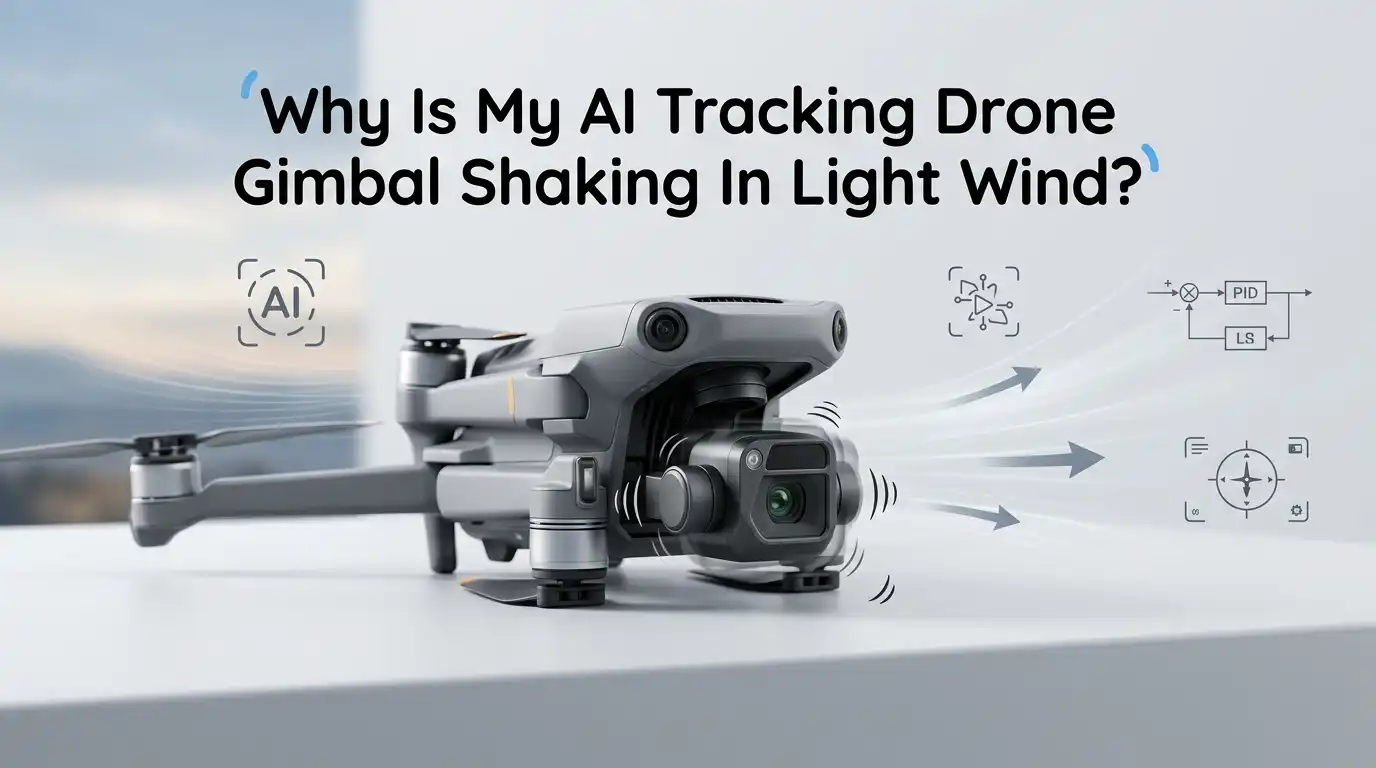
Why Is My AI Tracking Drone Gimbal Shaking In Light Wind?
You launch your drone on a calm afternoon. The breeze feels gentle on your face. Then you check the live feed and see the footage trembling like jelly.
Your AI tracking drone is supposed to lock onto a subject and deliver buttery smooth video. Instead, the gimbal jitters, twitches, or wobbles even in the lightest wind. That is frustrating, and it can ruin a shoot.
The good news is that this problem has clear causes. Most of them are fixable at home in under thirty minutes. This guide walks you through every reason your gimbal shakes in soft breezes and gives you step by step solutions for each one.
In A Nutshell
- Light wind alone should not shake a healthy gimbal. If yours wobbles in calm air, the cause is usually mechanical, software based, or related to flight technique rather than the wind itself.
- Propeller balance and damage are the top hidden culprits. A nicked or warped prop sends micro vibrations into the body that the gimbal cannot fully cancel out.
- Calibration drift happens after firmware updates, hard landings, or temperature swings. Running an IMU, compass, and gimbal calibration fixes most jitter cases.
- Dust, hair, or sand inside the gimbal motors creates resistance that motors fight against, which looks exactly like wind shake on screen.
- AI tracking adds extra load to the gimbal because it constantly repositions to keep the subject framed. Aggressive tracking modes amplify any underlying issue.
- Firmware bugs and aftermarket accessories like ND filters or prop guards can throw off the balance the factory tuned the gimbal for.
What A Healthy Gimbal Should Do In Light Wind
A properly working three axis gimbal cancels out small movements on the pitch, roll, and yaw axes. In light wind under ten miles per hour, the drone body may sway a little. The gimbal should absorb that sway and keep the camera locked on the horizon or your tracked subject.
You should see footage that looks almost stationary even when the airframe rocks. The gimbal motors hum quietly and adjust in tiny, smooth increments. You should not see jitter, twitch, micro shake, or rolling horizon lines.
If you do see those issues, something is wrong with the system itself, not the wind. Light wind is the baseline that every consumer AI drone is engineered to handle. Treat persistent shake in calm conditions as a real fault to chase down, not as normal behavior. The rest of this post explains what to check and in what order.
Check Your Propellers First Before Anything Else
Propellers are the number one cause of gimbal shake that pilots blame on wind. A small chip on a blade tip or a hairline crack near the hub creates an imbalance. That imbalance becomes a high frequency vibration that travels straight into the camera mount.
Inspect each blade under good light. Run your fingernail along the leading edge. Feel for nicks, dents, or rough spots. Check the hub area for cracks. Replace any prop that looks even slightly damaged. Always replace props in matched pairs or as a full set, never one at a time.
Pros of replacing props: cheap, fast, often solves the problem instantly. Cons: you need to keep spares on hand, and worn motor bearings can damage new props within a few flights if the root cause is the motor itself.
After swapping props, hover the drone two meters off the ground and watch the live view. Smooth video means props were the issue.
Look For Loose Screws And Worn Mounting Dampers
Every gimbal sits on small rubber balls or silicone dampers. These dampers absorb body vibration before it reaches the camera. Over time they harden, crack, or stretch. A worn damper passes vibration straight through to the lens.
Flip your drone over and shine a flashlight on the gimbal mount. Look at the four small rubber balls or pads connecting the gimbal cage to the airframe. They should look round, soft, and intact. Any tear, white stress mark, or sag means it is time to replace them.
Replacement damper kits are inexpensive and take about fifteen minutes to install with a small screwdriver. Pros: restores factory level vibration isolation, very cheap fix. Cons: requires gentle hands, and on some sealed drones you may void warranty by opening the case.
Also check for loose screws on the gimbal yoke and arm. A quarter turn of looseness creates visible shake.
Run A Full Gimbal And IMU Calibration
Calibration drift is sneaky. Your drone may fly fine for months, then start showing jitter after a firmware update or a bumpy car ride. The internal sensors lose their reference points and the gimbal motors hunt for the right angle.
Open your flight app and find the calibration menu. Run gimbal auto calibration on a flat, level surface indoors with no fans blowing. Then run IMU calibration with the drone on a perfectly flat board. Finish with a compass calibration outdoors away from metal.
Pros: solves a huge number of phantom shake problems with no parts needed. Cons: takes about ten minutes total, and you must redo it if you travel between climates with big temperature swings.
Always calibrate at the temperature you plan to fly in. A gimbal calibrated in a warm room can drift when you take off in cold morning air. Repeat calibration if you fly in conditions very different from your last session.
Update Or Roll Back Your Firmware
Firmware controls how the gimbal motors react to every input. A buggy update can introduce micro oscillations that look like wind shake. Manufacturers push fixes regularly, but sometimes a new release breaks something that worked before.
Check the manufacturer release notes for your drone model. If your shake started right after an update, that is a strong clue. Look for user reports about gimbal behavior in that version. Often a follow up patch arrives within a few weeks.
If a known bad firmware is on your drone, you have two options. Wait for the next official patch, or use the manufacturer rollback tool if one is offered. Pros of updating: gets bug fixes, new AI tracking features, better motor tuning. Cons: occasional regressions that introduce shake, and rollbacks are not always supported on every model.
Always update with a full battery and a stable wifi connection.
Clean The Gimbal Motors And Pivot Points
Tiny particles cause big problems. A single grain of sand, a strand of hair, or a flake of grass lodged in a gimbal motor creates resistance. The motor fights that resistance constantly. On video, this looks exactly like wind induced shake.
Power off the drone and inspect each gimbal axis with a magnifying glass. Look at the gap between the motor housing and the rotating arm. Use a soft brush, a wooden toothpick, or compressed air at low pressure to clear debris. Never poke metal tools into the gap.
Pros: zero cost, often instantly cures mystery jitter. Cons: requires patience and good lighting, and aggressive cleaning can damage the ribbon cable that runs through the gimbal.
After cleaning, gently rotate each axis by hand with the power off. Movement should feel smooth and free with no clicks or grinding. If you feel a catch, debris is still inside or a bearing is worn.
Inspect The Gimbal Ribbon Cable
A thin flat cable carries power and data through every gimbal axis. This ribbon flexes thousands of times per flight. Eventually it stiffens, frays, or pulls slightly out of its connector. A partially disconnected ribbon causes intermittent twitch and shake.
Look closely where the ribbon enters each motor. Search for kinks, white stress lines, or dark burn spots. Check that the cable is not pinched against any moving part. Make sure both ends are seated firmly in their connectors.
If the ribbon looks damaged, you can order replacement cables for most popular drones. Installation requires a small Torx driver, tweezers, and a steady hand. Pros: solves a fault that calibration cannot fix. Cons: it is a fiddly repair, and forcing a connector can ruin the gimbal board.
If you are not confident, this is the right point to send the drone to a service center. Ribbon damage worsens fast and can short out other components.
Reduce AI Tracking Aggressiveness In The Settings
AI tracking modes constantly reposition the gimbal to keep your subject centered. The more aggressive the tracking, the harder the motors work. In light wind, an over tuned tracking profile can amplify any tiny instability into visible shake.
Open the tracking settings in your flight app. Look for sliders labeled tracking sensitivity, gimbal speed, or follow smoothness. Lower the sensitivity by twenty to thirty percent and increase the smoothness value. Test with a moving subject like a person walking.
Pros: instant improvement on shake during active tracking, smoother cinematic look. Cons: the camera reacts a bit slower, so fast or unpredictable subjects may briefly leave the frame.
Most pilots find that a slightly slower tracking profile gives better looking footage anyway. Smooth beats fast almost every time in video work. Save your preferred values as a custom profile if your app allows it.
Remove Aftermarket Accessories That Affect Balance
Manufacturers tune each gimbal for the exact weight of the stock camera. Adding ND filters, polarizers, lens hoods, or prop guards changes that balance. Even a few grams in front of the lens shifts the center of mass and forces the pitch motor to work harder.
Take off any added filter or accessory and test fly. If the shake disappears, the accessory is the cause. Use only filters that match your drone model and weight specification. Cheap third party filters often weigh more than the originals.
Prop guards also create extra drag that the body must fight, sending vibration into the gimbal. Pros of removing accessories: instant balance restoration, no cost. Cons: you lose the protection or creative control the accessory provided.
If you must use a heavy filter, run gimbal auto calibration with the filter installed. That tells the motors to expect the new weight and reduces hunting behavior.
Adjust Your Flight Style In Breezy Conditions
Pilot input matters more than most people realize. Sharp stick movements combined with a gust create a brief overload on the gimbal. The motor hits its travel limit and snaps back, which looks like shake on screen.
Fly with smaller, smoother stick inputs. Avoid pointing the camera straight down in any wind, because the airflow over the body funnels around the gimbal and pushes it sideways. A camera angle of about seventy degrees down works much better than ninety degrees.
Pros: free fix that improves footage immediately. Cons: requires practice, and certain top down shots are simply harder in any breeze.
Use sport mode sparingly during AI tracking. Sport mode tilts the body more aggressively, which forces the gimbal to compensate further. Cine mode or normal mode gives the gimbal an easier job and produces cleaner video.
Test In A Controlled Environment To Isolate The Cause
Diagnosis works best when you change one variable at a time. Take your drone to a calm, enclosed space like a garage or large indoor area where legal and safe. Hover at low altitude with no wind and watch the footage.
If shake appears indoors with zero wind, the problem is mechanical or software based. Wind is innocent. If footage is perfectly smooth indoors and shakes outside in a breeze, the issue is aerodynamic or related to props and dampers.
Pros of indoor testing: removes wind from the equation, reveals the true cause. Cons: requires a safe legal space, and small indoor air currents from vents can still affect results.
Document each test with a short clip. Compare clips before and after each fix you try. This habit saves hours of guessing and helps a service technician if you eventually need professional help.
When To Send Your Drone For Professional Repair
Some faults need a technician. Bent gimbal arms, cracked solder joints, blown motor coils, and damaged ribbon cables under the shell are beyond home repair. If you have tried calibration, cleaning, prop replacement, damper inspection, and firmware checks without success, stop and call support.
Look for warranty coverage first. Many AI tracking drones include one year of coverage that pays for gimbal repairs. Use it before it expires. Out of warranty, official service typically costs less than buying replacement parts and risking further damage.
Pros of professional repair: proper tools, genuine parts, calibration on factory rigs. Cons: turnaround can take one to three weeks, and shipping insurance is wise on higher value drones.
Before you ship, back up any flight logs from the app. Technicians use those logs to find intermittent faults faster. Include a clear written description of when and how the shake appears.
Frequently Asked Questions
Why does my gimbal only shake when pointed straight down?
Air flowing over the drone body curves around the gimbal cage and creates a low pressure zone. This sucks the camera sideways. Tilt the camera back to about seventy or seventy five degrees to escape the turbulent zone and the shake usually stops.
Can cold weather cause gimbal shake in light wind?
Yes. Cold thickens the lubricant inside gimbal bearings. Motors work harder against that thicker grease, which produces small oscillations. Warm the drone in your jacket for a few minutes before takeoff and run a gimbal calibration at the flying temperature.
Will replacing dampers void my warranty?
On most consumer drones, opening the gimbal cage may void your warranty. Check your manufacturer policy before you start. If you are still under coverage, file a service ticket first. Out of warranty, damper replacement is a common and accepted DIY repair.
How often should I calibrate the gimbal?
Calibrate after every firmware update, every hard landing, every temperature change of more than fifteen degrees, and any time you notice new jitter. A monthly calibration is good practice even if everything seems fine.
Could a magnetic interference source cause gimbal shake?
Indirectly yes. Magnetic interference confuses the compass and IMU, which feeds bad data to the gimbal controller. Stay away from large metal structures, power lines, and car hoods during calibration and takeoff. Recalibrate the compass when you travel to a new region.
Is it safe to keep flying with a slightly shaky gimbal?
For short flights in safe areas, yes. But ongoing vibration wears bearings and stretches the ribbon cable, leading to bigger failures. Fix the cause as soon as you can rather than letting the problem grow.
Hi, I’m Minnie Cole, the creator of The Output Lab — a space where I share my passion for all things tech. I spend my days exploring the latest gadgets, devices, and electronics on Amazon, putting them through real-world testing so you don’t have to.