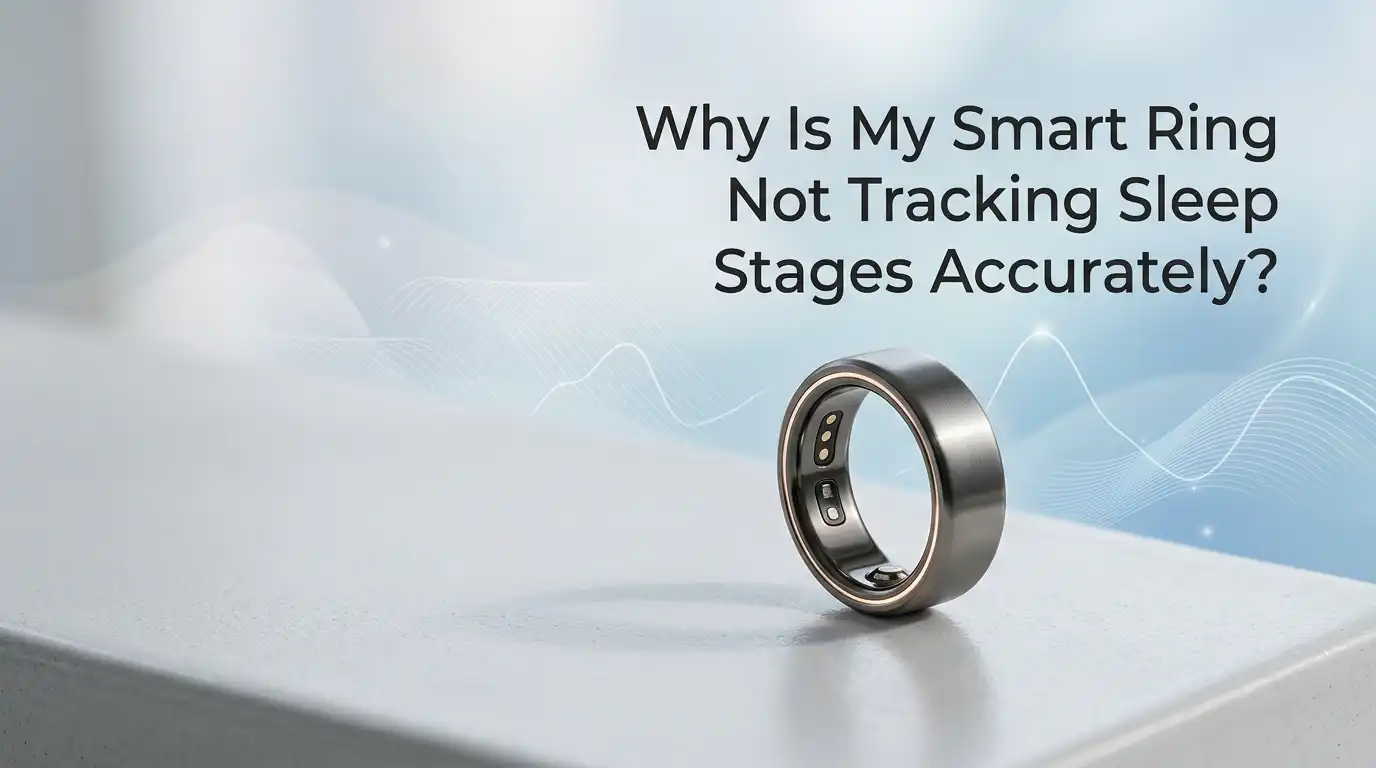
Why Is My Smart Ring Not Tracking Sleep Stages Accurately?
Your smart ring promised deep insight into your nights. Instead, it shows you slept eight hours when you tossed and turned, or it claims you barely hit REM when you woke up feeling refreshed.
That mismatch is frustrating. You paid for precision, and now you wonder if the data on your phone screen means anything at all.
The good news is that most sleep stage errors come from fixable causes. Some involve how you wear the ring. Others involve software, sensors, or simple habits that confuse the algorithm.
Key Takeaways
- Smart rings do not directly measure brain waves. They estimate sleep stages using heart rate, heart rate variability, motion, skin temperature, and breathing patterns. Even the best models agree with clinical sleep studies only about 60 to 79 percent of the time for stage detection.
- Ring fit is the single biggest factor. A loose ring lets the sensors lift off your skin, which breaks heart rate and oxygen readings. A ring worn on the wrong finger also reduces signal quality.
- Movement, late meals, alcohol, and caffeine all skew the algorithm. These factors raise your resting heart rate and confuse the software into misreading light sleep as deep sleep or vice versa.
- Software updates matter a lot. Companies like Oura, Ultrahuman, RingConn, and Samsung regularly push algorithm updates that improve stage classification. Skipping updates keeps you on older, less accurate models.
- Battery, sync issues, and Bluetooth gaps cause missing data. A ring with under 20 percent charge often stops tracking mid night, leaving incomplete sleep stage breakdowns in the morning.
- No consumer wearable replaces a clinical sleep study. Use your ring for trends across weeks, not for diagnosing sleep disorders or judging a single night.
Understanding How Smart Rings Estimate Sleep Stages
Smart rings do not read your brain. That part is important. A clinical sleep study uses electrodes on your scalp to record brain waves, which is the only gold standard for identifying REM, light, and deep sleep stages.
Your ring instead uses indirect signals. It tracks your pulse through green and infrared LEDs, measures small finger movements with an accelerometer, and reads skin temperature and breathing rate. An algorithm then guesses which sleep stage you are in based on patterns in those signals.
This guessing process works reasonably well, but it has limits. Oura, for example, reports about 79 percent agreement with clinical polysomnography for stage classification. That means roughly one in five stage labels is wrong. Knowing this baseline helps you set realistic expectations.
Reason 1: Your Ring Does Not Fit Properly
A poor fit is the top cause of bad sleep data. If the ring slides or rotates on your finger overnight, the optical sensors lose contact with your skin. The result is missing heart rate readings, which breaks the entire stage detection model.
Most ring makers recommend wearing the device on your index or middle finger. Your ring finger is more prone to swelling during sleep, which changes the fit hour to hour.
To fix this, order a sizing kit and wear the sample for a full 24 hours before choosing. Your finger size changes with temperature, hydration, and time of day. The ring should sit snug enough that the sensors stay flat against your skin but loose enough to spin with mild effort.
Pros of getting the fit right include sharper heart rate data and fewer gaps. Cons include the wait for a new size and the cost if your provider does not offer free exchanges.
Reason 2: The Sensors Are Dirty or Blocked
Smart ring sensors sit on the inside of the band. Over weeks, they collect skin oil, lotion residue, soap film, and dead skin. Even a thin layer dims the light signal and confuses the heart rate reading.
You may notice this as sudden drops in measured heart rate, gaps in your sleep timeline, or strange spikes that the app labels as wake periods.
Clean the sensors gently with a soft toothbrush or microfiber cloth. Use only water or a small drop of mild soap. Avoid alcohol wipes on titanium models, as they can damage the protective coating over time.
Make this a weekly habit. The pro is instant improvement in signal clarity. The con is that frequent cleaning can wear the finish on lower cost rings, though it rarely affects sensor function.
Reason 3: Late Meals, Alcohol, or Caffeine Are Skewing Readings
Your ring uses heart rate variability and resting heart rate as core inputs for stage detection. Anything that raises your nighttime heart rate confuses the algorithm.
Eating a large meal within three hours of bed keeps your digestive system active. Alcohol raises heart rate and suppresses REM, often making your ring report inflated deep sleep early in the night and broken sleep later. Caffeine after 2 PM lingers in your system for many hours.
To improve accuracy, stop eating heavy meals at least three hours before bed, limit alcohol to earlier in the evening, and cut caffeine by mid afternoon. The ring will then capture a cleaner physiological baseline.
The pro is more honest data and probably better sleep overall. The con is that this requires real lifestyle changes, which take time to stick.
Reason 4: Restless Sleep or a Sleep Disorder
Smart rings rely heavily on motion data. If you toss often, share a bed with a restless partner, or have a pet that jumps on the bed, the accelerometer reads constant movement and labels much of your night as awake or light sleep.
People with undiagnosed sleep apnea, restless leg syndrome, or insomnia often see wildly inconsistent stage data. The ring sees fragmented signals and cannot map them to a clean cycle.
If your data looks scrambled most nights despite a good fit, talk to a doctor. A home sleep apnea test or a clinical study gives answers no wearable can.
The pro of investigating is real medical insight. The con is the cost and the time involved. Still, no smart ring should replace professional evaluation when symptoms are present.
Reason 5: Outdated Firmware or App Software
Ring makers regularly push algorithm updates that improve stage detection. Oura released a major sleep staging update that lifted accuracy from the high 60s to nearly 80 percent. RingConn, Ultrahuman, and Samsung have made similar jumps.
If you skipped updates for months, your ring is using older, less accurate logic.
Open your app, go into device settings, and check for firmware updates. Then update the app itself through your phone store. Keep your ring on the charger near your phone during updates so the process completes fully.
The pro is free accuracy gains with no hardware change. The con is that some updates also change how data is displayed, which can be confusing if you track long term trends.
Reason 6: Low Battery Cutting Tracking Short
Most smart rings need at least 20 to 30 percent battery to track a full night. When the battery dies mid sleep, the ring stops collecting data and the app fills in gaps with estimates or shows blank periods.
You wake up to a partial sleep graph that misses REM cycles, since REM happens mostly in the second half of the night.
The fix is simple. Charge your ring during a routine you do every day, such as your morning shower or your evening shower. Twenty to thirty minutes usually gets most rings near full.
The pro of building this habit is consistent overnight data. The con is the small disruption to your wear schedule, but the tradeoff is worth it for clean sleep stage breakdowns every morning.
Reason 7: Bluetooth Sync Problems and App Glitches
Your ring stores data locally, then syncs to your phone over Bluetooth. If sync fails, the app may pull only part of the night and guess at the rest.
Common signs include sleep sessions that end abruptly, duplicate sleep entries, or stage charts that look choppy compared to your usual pattern.
Force close the app, toggle Bluetooth off and on, and reopen the app while wearing the ring. If sync still fails, restart your phone. As a last resort, remove the ring from your phone’s Bluetooth list and re pair it through the app.
The pro of regular sync checks is fewer lost nights. The con is that re pairing sometimes resets local settings, so write down your goals before doing it.
Reason 8: Wearing the Ring on the Wrong Hand or Finger
Smart rings are optimized for specific finger placement. Most brands recommend the index finger, with the middle finger as a second choice. The signal quality varies based on blood vessel size and skin thickness.
Wearing the ring on a thumb, pinky, or even the wrong size finger creates weaker pulse signals. The algorithm then has to fill in gaps, which leads to fuzzy stage data.
Hand choice matters less, but your dominant hand experiences more daytime motion. For sleep data, your non dominant hand often gives slightly steadier readings.
The pro of switching to the recommended finger is sharper data with no other change needed. The con is that you may need a different ring size, since fingers vary in width across your hand.
Reason 9: Skin Temperature and Room Conditions
Skin temperature is one of the inputs your ring uses to spot sleep onset and stage changes. A cold bedroom, an electric blanket, or a hot flash can throw off the temperature baseline.
If your room runs very cold or very hot, the ring may delay detecting that you fell asleep or wake detection at the end of the night.
Aim for a bedroom temperature between 60 and 67 degrees Fahrenheit, which sleep researchers consider ideal. Avoid heated blankets directly under your hand, and try to keep the room temperature steady through the night.
The pro is better sleep and cleaner data at the same time. The con is the cost of a smart thermostat or fan if your home struggles to hold steady temperatures overnight.
Reason 10: Naps and Irregular Sleep Schedules Confuse the Algorithm
Smart ring algorithms expect a main nighttime sleep period. If you nap often, work night shifts, or sleep at very different times each day, the ring struggles to set a baseline.
Some rings handle naps well, while others ignore short sleep sessions completely or merge them with overnight sleep in odd ways.
Check your app settings for a nap detection toggle and enable it if available. If you work shifts, look for a setting that lets you mark your main sleep window manually.
The pro is more accurate sleep summaries that match your real life. The con is that older rings and budget models may not offer these options, leaving shift workers with messy data no matter what they do.
Reason 11: Setting Realistic Expectations for Consumer Wearables
Even with every fix in place, your smart ring will not match a sleep lab. Clinical studies show consumer wearables agree with polysomnography around 60 to 80 percent of the time for stage detection. That is useful but imperfect.
Use your ring for week to week trends. If your deep sleep average drops over two weeks, that is a meaningful signal. If one night shows odd numbers, do not panic.
Look at total sleep time, resting heart rate, and HRV trends together. These are more reliable than stage percentages on any single night.
The pro of this mindset is less anxiety and better long term insight. The con is that you give up the false comfort of treating one night’s report as truth.
When to Contact Support or Replace Your Ring
If you tried every fix and your ring still produces wild or missing data, the hardware may be at fault. Sensor damage, water intrusion, or battery degradation can all break tracking permanently.
Contact your ring maker’s support team. Most offer diagnostic checks through the app and will replace defective units under warranty, which usually lasts one to two years.
Before you reach out, gather details. Note the dates of bad data, your firmware version, your phone model, and any changes you made. This speeds up the support process and gets you a resolution faster.
The pro is a working ring at no cost if covered. The con is the wait time, which can stretch one to three weeks during shipping and review.
Frequently Asked Questions
How accurate are smart rings at tracking REM and deep sleep?
Smart rings reach about 60 to 80 percent agreement with clinical sleep studies for stage detection. REM and deep sleep are harder to detect than total sleep time, so expect more variation in those numbers night to night.
Should I wear my smart ring on my dominant or non dominant hand?
Your non dominant hand usually gives cleaner sleep data because it moves less during the day, which helps the ring set a steadier baseline. For sleep tracking specifically, either hand works if the fit is right.
Why does my ring show I was awake when I felt I was sleeping?
The ring likely detected small movements or a higher heart rate and classified that time as wake. Restless leg movements, partner motion, or even rolling over can trigger this. A snug fit and a calm sleep environment reduce false wake readings.
Can I trust my smart ring to diagnose sleep apnea?
No. Smart rings can flag patterns that suggest breathing issues, but they cannot diagnose sleep apnea. Only a clinical sleep study or a doctor approved home test can confirm the condition.
How often should I clean my smart ring sensors?
Clean the sensors once a week with a soft cloth or toothbrush and water. If you use lotions or oils on your hands, clean more often. Dirty sensors are one of the most common causes of bad sleep data.
Does removing my ring during the day improve sleep tracking?
Not directly, but charging the ring during the day means it has full battery for the night. A full battery prevents mid night tracking failures, which is the most common cause of missing sleep stage data.
Hi, I’m Minnie Cole, the creator of The Output Lab — a space where I share my passion for all things tech. I spend my days exploring the latest gadgets, devices, and electronics on Amazon, putting them through real-world testing so you don’t have to.