How To Fix Automatic Dog Door RFID Collar Tag Breaking?
Does your dog’s RFID collar tag keep snapping off? You’re not alone.
Many pet parents deal with this frustrating problem. The tag breaks, falls off, or stops working. Then your automatic dog door refuses to open.
This tiny piece of plastic controls your pet’s freedom. When it fails, your dog gets stuck inside or outside. That’s a real hassle for everyone.
The good news? Most tag and door issues have simple fixes. You don’t need to be a tech expert to solve them.
In this guide, we’ll walk you through common problems step by step. We’ll cover why tags break and how to fix them properly. You’ll learn how to check battery function and test signal range.
We’ll also explain bellows alignment and magnet connections. These parts work together with your RFID system. When one fails, the whole door stops working.
Regular maintenance prevents most breakdowns. We’ll share a simple schedule to keep your system running smoothly.
By the end, you’ll know exactly how to troubleshoot tag problems. Your dog will get back to using that door without any fuss.
In a Nutshell
Here’s a quick rundown to fix your RFID collar tag and keep your automatic dog door working smoothly.
-
Check the battery first. A dead or missing battery is the most common reason a tag stops working. Pop it open and make sure the battery sits correctly.
-
Clear away metal objects. Keys, coins, or other electronics near the reader can block signals. Keep the area around the sensor clean and open.
-
Inspect the bellows and magnet. Stretch the bellows flat and gently warm it. Then reconnect it firmly to the frame magnet for smooth flap movement.
-
Test the tag’s LED light. It should flash three times then turn off when it’s in range. This confirms the tag and reader are talking to each other.
-
Follow a simple maintenance routine. Wipe the flap weekly, check seals and magnets monthly, and lubricate hinges every few months.
-
Watch your dog’s collar fit. A loose collar lets the tag slip off easily. Snug it up to avoid repeat breakages.
Small fixes like these solve most tag and door problems fast.
Understanding How RFID Collar Tags and Automatic Dog Doors Work Together
RFID collar tags and automatic dog doors work as a connected team to give your pet freedom and security. Understanding how they interact helps you fix problems faster.
The RFID tag sits on your dog’s collar and contains a small computer chip. This chip holds a unique code that identifies your specific pet. When your dog approaches the door, the tag sends this code wirelessly to the reader mounted on the door frame.
The reader receives the signal and checks if the tag code matches the approved list. If it matches, the reader sends power to the door’s motor and magnet system. The door then opens automatically for your dog.
Bellows are rubber tubes inside the door that expand and contract. These bellows connect directly to magnets on the frame. When the magnet pulls the bellows tight, the door flap stays closed. When the magnet releases, the bellows relax and the flap opens smoothly.
The tag’s battery powers the chip inside. Without power, the chip cannot broadcast its code. The reader cannot see your dog approaching, so the door stays locked.
Metal objects near the reader create interference problems. Keys, coins, or electronics block the wireless signal. Your tag might work fine, but the reader cannot hear it.
Regular maintenance keeps this system working well. Weekly cleaning removes dirt from the flap. Monthly inspections catch loose magnets or damaged bellows early. Quarterly lubrication keeps hinges moving freely.
When all parts work together properly, your dog enters and exits without any delay. The system recognizes your pet instantly and opens the door in seconds. This seamless operation depends on each component doing its job correctly and staying in good condition.
Why RFID Collar Tags Break or Stop Working Over Time
RFID collar tags fail for several clear reasons. Understanding these causes helps you prevent problems before they start.
Battery drain is the primary culprit. The tiny battery inside your tag powers the chip that sends signals to your door’s reader. Batteries naturally lose charge over time. Most tags last 1 to 2 years before the battery dies completely. Once the battery runs out, your tag stops communicating with the door reader entirely.
Physical damage weakens tag performance. Dogs wear their collars through rough play, swimming, and outdoor adventures. Water seeps into cracks and corrodes the internal circuitry. Drops and impacts can damage the antenna that transmits signals. Constant flexing of the collar stresses the tag’s connection points.
Antenna misalignment reduces signal strength. The antenna inside your tag must point toward the reader for proper communication. If your dog’s collar twists or the tag rotates, the antenna angles away from the sensor. Weak signals mean the reader can’t detect your tag reliably.
Interference blocks the signal path. Metal objects near the door reader jam RFID frequencies. Keys, coins, and electronic devices create electromagnetic noise. This interference prevents clean communication between tag and reader.
Corrosion from moisture causes internal failures. Humidity and water damage the circuit board and battery contacts inside your tag. Salt from sweat or ocean water accelerates corrosion. Even small amounts of moisture can create connection problems.
Loose collar fit allows tags to slip off. A tag that falls off your dog’s neck obviously can’t open the door. Regular collar checks prevent accidental loss during outdoor time.
Step-by-Step Fix: Replacing or Repairing a Broken RFID Collar Tag
When your RFID collar tag breaks, you have two main options: repair it yourself or replace it entirely. The choice depends on the damage type and your comfort level with electronics.
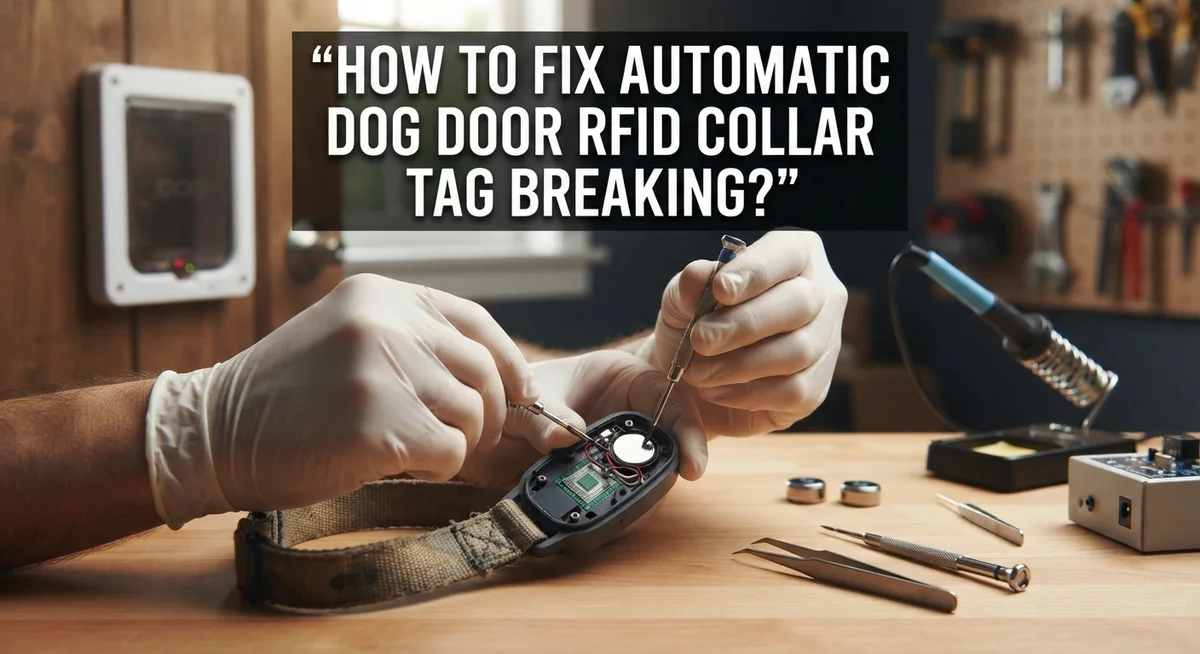
Start by opening the tag casing. Most tags use a simple snap fit or screw design. Gently pry the plastic apart using a small flathead screwdriver. Be careful not to crack the housing further. Once open, inspect the internal components for visible damage like corrosion, loose wires, or a cracked circuit board.
Check the battery first. If the battery is corroded or leaking, you can sometimes clean the contacts with a dry cloth and insert a fresh battery. This single step fixes many tags. Make sure you use the correct battery size and orientation. The positive side should face up unless your tag’s diagram shows otherwise.
Look at the antenna coil. This thin wire wraps inside the tag housing. If it’s loose or disconnected from the circuit board, you might solder it back in place if you have soldering skills. However, most people find this too difficult.
For cracked casings, use waterproof epoxy. Apply a small amount around the crack and let it cure fully before reassembling. This prevents moisture from entering and damaging components.
If repairs don’t work, replacement is your next step. Purchase a new tag compatible with your door’s frequency. Installation is straightforward: attach it to your dog’s collar using the provided fasteners and test the LED response.
Always keep your old tag as a backup until the new one works perfectly.
Step-by-Step Fix: Reattaching and Testing the RFID Reader on the Door Frame
Start by turning off power to your automatic dog door system. This keeps you safe while working with the RFID reader and electrical connections.
Locate the RFID reader unit mounted on your door frame. It’s usually a small rectangular box near where the flap opens. Check that all screws holding it to the wall are tight. Loose mounting causes misalignment and prevents tag detection.
Inspect the power cord connected to the reader. Make sure it’s plugged in firmly and the outlet works. A weak power connection stops the reader from functioning properly.
Remove any metal objects within three feet of the reader. Metal dishes, tools, or furniture interfere with RFID signals. Even a metal door frame nearby can reduce detection range.
Now test your dog’s collar tag. Press the button on the tag to activate it. You should see the LED light flash three times, then turn off. This means the tag has power and the chip works.
Walk slowly toward the reader while wearing the tag. Stop when the reader’s light turns on or you hear a beep. This distance is your detection range, typically around one foot from the reader.
Move the tag side to side across the reader’s face. The reader should detect it consistently. If detection fails on one side, the reader might be tilted or misaligned.
If the reader doesn’t respond, check that the power adapter is the original one supplied with your door. Using a different adapter can cause recognition failures.
Test the tag at different angles. Sometimes antennas inside tags point in specific directions. Rotate the tag slowly to find the best detection angle for your particular reader setup.
Fixing Bellows and Magnet Alignment Issues That Prevent Door Function
Bellows and magnets work together to open and close your dog door flap. When these parts misalign, your door stops functioning even if your RFID tag works perfectly.
Check bellows alignment first. Bellows are the accordion like structures that push and pull the flap. Over time, they stretch or twist out of position. Gently stretch the bellows flat with your hands. Apply gentle heat using a hair dryer on low setting. This softens the material and helps it return to shape.
Reconnect bellows to the frame magnet. The magnet holds the bellows in place and triggers the opening mechanism. Look where the bellows attach to your door frame. Push the bellows firmly onto the magnet until you hear or feel a click. Make sure the connection is secure and straight.
Test magnet strength. A weak magnet won’t hold the bellows properly. Hold a metal object near the magnet. If it doesn’t attract strongly, the magnet may need replacement. Inspect for corrosion around the magnet contact points. Wipe away any rust or debris with a dry cloth.
Verify door flap movement. Manually push the flap up and down several times. It should move smoothly without resistance. If it sticks or jerks, bellows need further adjustment.
Mount the RFID housing correctly. The reader must sit at the right distance from the door. Use the supplied screws to secure it firmly to the wall. A loose reader causes alignment problems that prevent tag recognition.
Test your complete system by having your dog approach the door. The flap should open smoothly when the tag comes in range.
Preventing Future Tag Breakage: Maintenance Tips and Best Practices
Your RFID collar tag stays in good condition when you follow simple maintenance steps. Start with weekly cleaning. Wipe the tag with a soft, damp cloth to remove dirt and debris. This prevents buildup that can damage the casing over time.
Check the battery every month. A fresh battery keeps your tag working at full strength. Replace it before it completely dies. Dead batteries can leak and corrode the internal contacts permanently.
Keep metal objects away from your dog’s collar tag. Metal interferes with RFID signals and forces your tag to work harder. This extra strain drains the battery faster and stresses the antenna coil inside.
Inspect the tag casing for small cracks or loose parts. Catch damage early before water gets inside. Store your backup tag in a dry place so you have a replacement ready if needed.
Test your tag monthly by walking toward the door reader. The LED light should flash three times then turn off when in range. If it doesn’t respond, clean the battery contacts first.
Avoid extreme temperatures. Don’t leave the tag in direct sunlight for hours or in freezing conditions. Heat and cold can weaken the battery and make the casing brittle.
Replace the tag every 2 to 3 years as a preventive measure. Even tags that seem fine can fail suddenly. Having a schedule prevents unexpected breakdowns when your dog needs access.
Store tags properly when not in use. Keep them in a cool, dry drawer away from moisture and heat sources. This simple habit extends tag life significantly.
Common Mistakes That Lead to Tag and Sensor Failures
Many dog owners make simple errors that damage their RFID collar tags or cause sensor failures. Understanding these mistakes helps you protect your investment and keep your door working smoothly.
Placing metal objects near the RFID reader is one of the biggest problems. Metal interferes with radio signals and forces your tag to work harder. Keep metal bowls, tools, and electronics at least three feet away from the reader unit. This distance gives your tag the best chance to communicate with the sensor.
Neglecting the collar tag battery causes most recognition failures. Your tag won’t work without power inside it. Check the battery every month and replace it when needed. A dead battery looks the same as a working one, so test your tag by walking toward the reader to see if the LED flashes.
Poor bellows alignment prevents the door from opening even when the tag works perfectly. The bellows must connect flat against the frame magnet. If the bellows twist or bend, the magnet can’t trigger the opening mechanism. Inspect this connection monthly.
Letting your tag fall off your dog’s neck seems obvious, but it happens frequently. Loose collars slip right off during play or swimming. Check the tag attachment point weekly and tighten it securely.
Skipping maintenance schedules creates problems that build up over time. Wipe the door flap weekly with a damp cloth. Inspect weather seals monthly. Lubricate hinges quarterly. These simple steps prevent rust, corrosion, and mechanical failure.
Using the wrong power adapter for your system causes reader malfunction. Always use the original adapter supplied with your door. Different adapters provide incorrect voltage and damage the electronics inside.
Troubleshooting Persistent Recognition and Access Problems
When your RFID collar tag stops working properly, the problem often lies in how the tag communicates with your door’s reader. Recognition failures happen for specific reasons, and you can fix most of them yourself.
Start by checking the tag’s battery first. Open the tag casing carefully and look at the battery compartment. The battery should sit flat and make firm contact with both terminals. If the battery looks loose or corroded, remove it and clean the terminals with a dry cloth. Insert a fresh battery and test the tag by walking toward the door reader. You should see the tag’s LED flash three times, then turn off.
Next, scan your surroundings for metal objects. Metal items near the RFID reader block signals completely. Check for metal shelving, tools, or decorative items within two feet of the reader. Move anything metal away from the sensor area. Even your dog’s metal food bowl can interfere if placed too close.
Test your tag’s range by standing at different distances from the door. The reader should detect your tag from about one foot away. If recognition only works when you’re very close, the reader might need repositioning or the tag battery might be weak.
Verify the door’s power source next. Confirm your system uses the correct power adapter. A weak power supply reduces the reader’s detection range significantly. Check that the power cord connects firmly to both the adapter and the door unit.
Walk through these steps in order to identify which component needs attention. Most recognition problems resolve once you address the battery, remove metal interference, or confirm proper power delivery.
Final Thoughts
Fixing a broken RFID collar tag does not need to be complicated. Most problems come down to three things: battery life, metal interference, and bellows alignment.
Check these areas first whenever your dog’s tag stops working. You will solve most issues within minutes.
Regular maintenance keeps your system running smoothly. Wipe the flap weekly. Inspect seals and magnets each month. Lubricate hinges every few months.
These small habits prevent bigger problems later. They also extend the life of your tag and door.
Watch for common mistakes too. Metal objects near the collar cause signal problems. A loose tag falls off easily. Skipping maintenance leads to sudden failures.
Avoid these errors and your system will work reliably for years.
If your tag still fails after checking the battery and removing interference, look at the door itself. The bellows must connect properly to the frame magnet. A weak connection stops the flap from opening, even when the tag sends a clear signal.
Testing the LED light on your tag tells you a lot. It should flash three times, then turn off, when your dog moves into range. This simple check saves you time and guesswork.
Every dog owner faces tag issues at some point. The good news is that most fixes are simple and quick. You do not need special tools or technical skills.
Just follow the steps in order: check the battery, remove metal interference, test the range, and inspect the bellows connection.
With consistent care, your RFID collar tag and automatic door will keep working well. Your dog gets easy access, and you get peace of mind knowing the system works as it should.
Frequently Asked Questions
Why isn’t my dog’s RFID tag being recognized by the door?
Your tag likely has a dead battery or metal interference is blocking the signal. First, replace the battery in your collar tag. Then, look around your door for metal objects like pipes, brackets, or appliances. Move these items away from the RFID reader.
Test your tag by walking toward the door slowly. The LED light should flash three times when in range. If it doesn’t flash, the battery needs replacing.
What should I do if the door flap won’t open even though my tag works?
The bellows may have lost connection to the frame magnet. Stretch the bellows flat carefully and apply gentle heat to soften the material. Reconnect it firmly to the frame magnet.
Check that the door has power. Verify your power cord is plugged in and functioning properly. If the flap still doesn’t move, the magnet may need realignment.
How can I prevent my dog’s tag from breaking in the future?
Keep the tag secure on your dog’s collar so it doesn’t fall off during play. Perform simple maintenance regularly. Wipe the door flap weekly with a damp cloth to remove dirt and debris.
Check the weather seals monthly to ensure they’re intact. Every three months, lubricate the hinges with a light oil. These habits catch small problems before they become big ones.
Can I set a specific scanning distance for my RFID reader?
Yes, most systems allow you to adjust the scanning range. Setting it to one foot helps prevent unauthorized animals from opening the door. This distance gives your dog enough space to trigger the sensor while keeping strays out.
Check your system’s manual for adjustment instructions specific to your model.

Hi, I’m Minnie Cole, the creator of The Output Lab — a space where I share my passion for all things tech. I spend my days exploring the latest gadgets, devices, and electronics on Amazon, putting them through real-world testing so you don’t have to.